Why Your Meeting Invitations Are Being Ignored

Let's be real: most meeting invitations are deleted on sight. In a world of overflowing inboxes, a vague or poorly structured invite isn't just an annoyance—it's a red flag. It quietly suggests the meeting itself will be just as disorganized.
People are forced to make split-second decisions about their time, and if your email doesn't instantly prove its value, it's headed straight for the trash folder. This has real consequences, especially with the huge shift to remote and hybrid work. A sloppy invitation can dent your credibility before anyone even clicks "Join," signaling to colleagues and clients that you don't respect their time.
This is where getting the invitation right becomes more than just a courtesy. It’s a strategic first step.
Digital Overload is a Real Problem
The modern workplace practically runs on meetings, but their effectiveness is constantly under a microscope. Between 2020 and 2022, the proportion of virtual meetings shot up from 48% to a staggering 77%. Yet, a whopping 67% of executives see most of those meetings as outright failures.
That massive disconnect tells us something important. A well-crafted invitation—one with a crystal-clear purpose and a solid agenda—is your first and best tool for setting expectations and steering the conversation toward a productive outcome. You can dive deeper into these meeting statistics and their impact on professional communication.
A meeting invitation is more than just a calendar blocker. It’s your first chance to establish the meeting’s importance and set the tone for a discussion that actually goes somewhere.
What Makes a Meeting Invitation Fail?
So, what’s the secret to getting ignored? It usually comes down to a few common, yet critical, mistakes that chip away at trust and create unnecessary friction for everyone you invite.
- Vague Subject Lines: A subject like “Meeting” or “Catch-up” is a classic offender. It gives zero context and forces the recipient to waste time opening the email just to figure out what it's about.
- Missing a Clear 'Why': Your invite has to immediately answer the question, "Why do I need to be there?" If attendees can't see their specific role or what's expected of them, they're far less likely to prioritize it.
- No Agenda: Sending an invitation without an agenda is like telling someone to show up for a road trip without a map. It creates uncertainty, implies you haven't prepared, and makes people seriously hesitant to commit their valuable time.
Before we jump into fixing these issues, it's helpful to see what a high-quality invitation actually looks like. The best invites are built on a foundation of clarity and respect for the attendees' time.
Here’s a quick breakdown of the core components that every successful meeting invitation needs. Think of this as your pre-flight checklist before hitting "Send."
Core Components of a High-Impact Meeting Invitation
| Component | Purpose | Example |
|---|---|---|
| Clear Subject Line | Grabs attention and provides immediate context. | "Marketing Sync: Q3 Campaign Kickoff & Brainstorm" |
| Purpose Statement | Explains why the meeting is happening in one or two sentences. | "To finalize the project timeline and assign key tasks." |
| Detailed Agenda | Outlines the specific topics to be discussed and for how long. | "- Review Q2 Performance (10 min) - Finalize Q3 Goals (15 min)" |
| Key Logistics | Provides the date, time (with time zone), duration, and location/link. | "Date: Oct 26, 2024 Time: 2:00 PM EST (30 min) Link: Zoom" |
| Required Attendees | Lists who needs to be there and clarifies their expected contribution. | "Required: Sarah (Design Lead), Tom (Dev Lead) Optional: Jen (QA)" |
| Pre-Meeting Prep | Tells attendees what to review or prepare beforehand. | "Please review the attached project brief before the call." |
Nailing these elements doesn’t just get more people to show up; it ensures the right people show up prepared and ready to contribute, turning a potential time-waster into a genuinely productive session.
Writing Subject Lines That Get Your Email Opened

Let's be honest, your subject line is the gatekeeper of your meeting invitation. Think about your own inbox—it’s a battlefield where every email is fighting for attention. A vague subject line like “Meeting Request” is a one-way ticket to the archive, or worse, the trash.
If you want your invitation to even be seen, the subject line needs to do the heavy lifting. It has to instantly signal what the email is about and why it’s worth opening.
And it's not just a feeling; the data backs this up. A staggering 47% of people decide whether to open an email based on the subject line alone. That single line of text carries all the weight. Your mission is to make it specific enough to be useful but short enough to be scannable.
Crafting a Winning Subject Line
So, what does a good subject line look like? Think of it as a super-condensed summary of your meeting's purpose. It should give the recipient just enough info to understand the what, the who, and maybe even the when at a quick glance.
Instead of something generic like “Quick Chat,” try a more descriptive approach. For example, “Project Phoenix Check-In // March 15” immediately tells me the topic and date, so I know it's relevant.
Here are a few more examples I've seen work well in different situations:
- For an internal team meeting: "Marketing Sync: Q3 Campaign Brainstorm - Oct 26"
- For a client follow-up: "Follow-up: Project Alpha Proposal Discussion"
- For something time-sensitive: "Urgent: Action Required for Server Outage Debrief"
A powerful subject line answers three questions for the recipient: What is this about? Why does it matter to me? How urgent is it? Nailing this trifecta dramatically increases your open rates.
At the end of the day, clarity will always beat cleverness. A straightforward subject line that includes the meeting topic and date provides immediate context. This simple habit shows you respect the other person's time and signals that the meeting itself will be just as focused. It's this kind of upfront detail that makes a simple meeting invitation email sample truly effective.
How to Structure the Email Body for Instant Clarity
Once your subject line gets the email opened, you have just a few seconds to convince someone the meeting is worth their time. Let's be real—if the body of your email is a wall of text, it's getting ignored or deleted. The goal is to make it so clear that a busy professional can glance at it and know exactly what you need in under 15 seconds.
This isn't about writing long, elaborate paragraphs. It's about a smart, scannable structure that gets right to the point. Start with a direct purpose statement so there's zero guesswork involved.
This simple infographic breaks down the core idea perfectly. It’s all about crafting an invitation that’s quick to read and easy to act on.
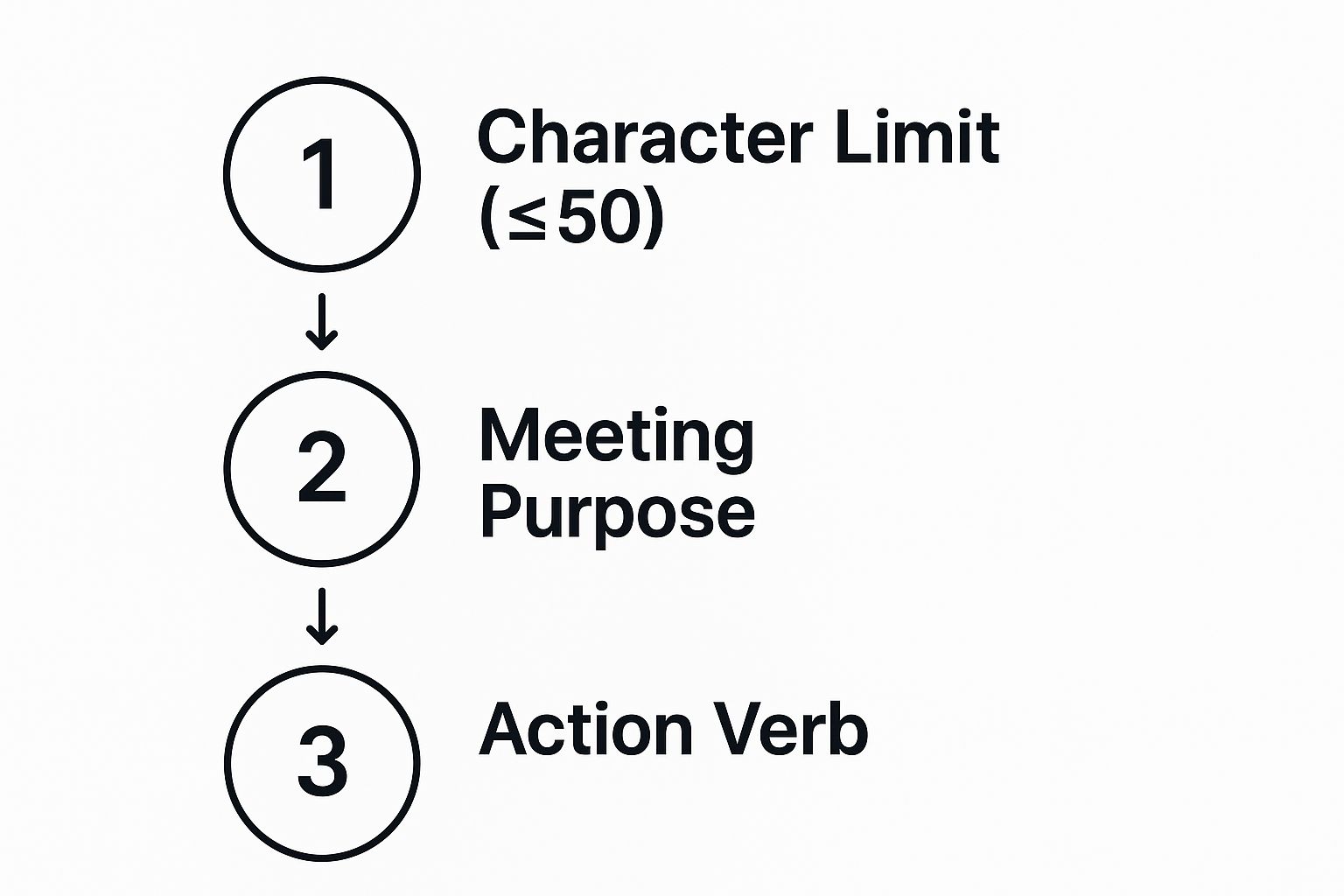
Think of it this way: your email needs to be direct and action-oriented. That's what gets you a fast response.
Start with the Essential Logistics
Right after your brief opening line, lay out the most critical details. Don't make people hunt for the date, time, and location (or video link). Putting this information right at the top is a simple sign of respect for their schedule.
And if you're scheduling with people across different regions, always include the time zone. Something like 2:00 PM EST / 11:00 AM PST is a small detail that prevents a world of confusion. It’s a classic mark of a professional.
Your invitation's main job is to remove friction. By getting the logistics upfront and clarifying time zones, you make it incredibly easy for attendees to check their calendars and say yes without a bunch of back-and-forth emails.
Outline a Clear and Concise Agenda
Next up: the agenda. A bulleted agenda isn't just nice to have; it's non-negotiable for any meeting that aims to be productive. It’s what turns a vague "catch-up" into a focused working session and proves you've actually thought through the meeting's purpose.
But a truly great agenda does more than just list topics. It has to answer one critical question for every single person you invite: "Why am I needed here?"
Here’s how you frame an agenda that gets people to show up prepared and engaged:
- Be Specific: Don’t just write "Discuss Q4 numbers." Instead, try "Review Q4 Sales Performance & Identify Top 3 Growth Areas." See the difference?
- Assign Ownership: If someone is leading a topic, give them a shout-out. For example, "Q1 Marketing Plan (Presented by Sarah)." This gives them a heads-up to prepare.
- Provide Context: Briefly explain why their input is crucial. A simple line like, "We need your technical input on the new feature proposal," gives them a concrete reason to be there.
This level of detail is what separates an effective simple meeting invitation email sample from the kind of generic request that just gets lost in a crowded inbox. It gives every invitee a compelling reason to accept and come ready to contribute.
Your Go-To Meeting Invitation Email Sample
Alright, enough with the theory. The best way to learn is by doing, so I’ve put together a complete, well-structured, and simple meeting invitation email sample you can start using today.
Think of this as more than just a template. It's a practical, plug-and-play tool. You can copy it, paste it, and fill in the blanks. I've highlighted the placeholders to show you exactly where to pop in your own details and added some notes on the "why" behind each piece.
This structure is my go-to for most professional situations, from internal team check-ins to important client calls. If you need to tweak the tone or structure for something more specific, our guide on the ideal meeting invitation format has more specialized advice.
The All-Purpose Meeting Invitation Template
Subject: Meeting Request: [Meeting Topic] on [Date]
Hi [Name],
I’m scheduling a meeting to [State the primary goal of the meeting in one sentence].
Date & Time: [Day of Week], [Date] at [Time, including Time Zone] Duration: [XX] minutes Location/Link: [Physical Location or Video Conferencing Link]
To make sure we have a productive discussion, here is a brief agenda:
- [Agenda Item 1 with brief description] (Approx. [X] mins)
- [Agenda Item 2 with brief description] (Approx. [Y] mins)
- [Agenda Item 3 with brief description] (Approx. [Z] mins)
To prepare, please review the [Attached Document/Link to Document]. Your input on [Specific Topic] will be particularly valuable.
Please RSVP by [Date] so I can finalize the arrangements.
Looking forward to it,
[Your Name] [Your Title]
Key Takeaway: Notice how this sample immediately presents the "what" (topic), "when" (date/time), and "why" (agenda). This structure respects the recipient's time by giving them all the critical info upfront, making it easy for them to say "yes" without a single follow-up question.
This sample is a fantastic starting point, but every meeting is a little different. For more variety, you can browse additional sample event invitation email templates. It’s a great resource for finding inspiration, whether you're writing a formal client proposal or a casual invite for a team brainstorm.
Pro Tips to Dramatically Increase Your Response Rate
Hitting "send" is just the start. If you really want to get meetings booked, you have to think beyond just what you write in the email. It's about playing the whole game—making sure your email gets seen, opened, and, most importantly, acted on.
A few small tweaks to your process can make a world of difference.
One of the biggest levers you can pull is strategic timing. I’ve seen it time and time again: send an invite on a Monday morning, and it’s instantly swallowed by the weekend backlog. It’s a black hole. Data from Microsoft's research on workday trends shows that Tuesday is the most meeting-heavy day, with Friday being the lightest.
So, when should you send it? Aim to land at the top of their inbox mid-morning on a Tuesday or Wednesday. That's the sweet spot.
Make Responding Effortless
Your call to action (CTA) needs to be so simple that it's easier for them to say "yes" than to ignore it. Every extra step you make someone take is a reason for them to put it off and forget. Get rid of the classic, "What time works for you?" and you'll eliminate the painful back-and-forth.
- Use a Scheduling Tool: This is non-negotiable in my book. Integrate a tool like Calendly or a native scheduler like Distro's. Let them see your real-time availability and pick a slot themselves. It’s empowering for them and efficient for you.
- Provide Direct Calendar Links: If you’re proposing a specific time, include one-click "Add to Google Calendar" or "Add to Outlook" links. It turns a multi-step process into a single click.
When you remove these little points of friction, accepting your invitation becomes the path of least resistance. We dive even deeper into crafting the perfect call to action in our guide on the core elements of an email for a meeting invitation.
Send Smart Reminders and Follow-Ups
Look, no response doesn't always mean "no." More often than not, it means "I got busy and your email is now buried under 50 others." A gentle, well-timed follow-up isn't just acceptable; it's often genuinely appreciated.
Of course, none of this matters if your emails are getting flagged as junk. A major hurdle is simply getting seen, so it’s worth learning how to prevent emails from going to spam to give yourself the best shot.
A polite follow-up sent 24-48 hours after the initial invite is a best practice. Simply reply to your original message and ask, "Gently bumping this to the top of your inbox. Let me know if the proposed time works!"
This approach is helpful, not pushy. It’s a simple nudge that shows you’re organized and value their time.
By mastering timing, simplifying the ask, and following up smartly, you turn a hopeful request into a powerful tool that actually gets you on people's calendars.
Of course. Here is the rewritten section, formatted to sound like it was written by an experienced human expert.
A Few Common Questions About Meeting Invites
Even with a solid template, you're bound to run into a few tricky situations when sending out meeting requests. Nailing these little details is what separates an invite that gets ignored from one that gets a fast "Yes."
Let's tackle the most common question I hear: how much notice is enough notice?
It really depends on who you're asking and what you're asking them for.
- Routine internal stuff: For quick check-ins or team syncs with your colleagues, 2-3 days' notice is usually perfect. It’s enough time for them to shuffle things around if needed.
- Big or client-facing meetings: You'll want to give at least one week's notice. This gives everyone, especially clients, enough breathing room to prepare and come ready to contribute.
- Senior executives or key partners: Give them a heads-up of 2-3 weeks. These folks live by their calendars, and respecting their packed schedules with plenty of notice is a professional courtesy that goes a long way.
What if They Don't Reply?
It happens. You send the perfect invite, and... crickets. It’s easy to assume they're not interested, but honestly, it’s far more likely your email just got lost in the shuffle.
A polite follow-up is almost always a good idea. Wait a day or two, then send a quick, friendly reply to your original message just to bump it to the top of their inbox. A simple, "Hey, just wanted to follow up on this" is usually all it takes.
One of my favorite pro-tips is to make attendance optional when you can. Clearly marking (Optional) in the subject line or next to a person's name shows you respect their time. It empowers them to prioritize their own work without feeling guilty if they have to decline.
Want to get even better at this? For a much deeper dive into crafting invitations for any scenario, check out our full guide on the perfect meeting invitation email. Mastering these small details is how you turn a basic template into a seriously effective tool.
Tired of the endless back-and-forth just to schedule a sales demo? Distro automates your lead routing, instantly connecting your best prospects with the right rep's calendar. See how our intelligent scheduling can help you triple your demo conversion rates at https://distro.so.