
If you’ve ever felt like your sales team is drowning in a sea of leads, you’re not alone. They have a mountain of contacts, but no real map to tell them who's a hot prospect and who's just window shopping. This is where most teams get stuck, wasting precious hours chasing dead ends instead of goldmines.
Without a solid way to tell the difference, reps burn out chasing leads who aren't ready to buy, while the truly promising ones get cold and move on. It's more than just frustrating; it's a direct hit to your revenue. This is exactly the problem lead scoring in Salesforce was built to solve.
Why Your Sales Team Needs Lead Scoring in Salesforce

Lead scoring is basically a strategic compass for your sales team. It's a system that automatically assigns points to prospects based on who they are (their demographics) and what they do (their behaviors). Think of it as an automated filter that sifts through the noise, separating the casual browsers from the ready-to-buy decision-makers.
It transforms a chaotic list into a predictable, prioritized pipeline.
From Chaos to Clarity
By setting up a scoring model, you bring a sense of order and focus to your whole lead management process. It’s not just about sorting names on a list; it’s about building a smarter, more efficient sales engine.
With a good scoring system in place, your team can:
- Zero in on high-value leads: Reps can instantly see who is showing the strongest buying signals and engage them first.
- Slash response times: Getting back to qualified leads faster dramatically boosts the chances of closing the deal.
- Get sales and marketing on the same page: Finally, both teams can agree on what a "qualified lead" actually looks like.
This alignment is a game-changer. Sales reps spend about 9% of their week just researching prospects. A scoring model handles a huge chunk of that initial legwork, freeing them up to do what they do best: sell.
At its core, lead scoring is about working smarter, not harder. It ensures that every minute your sales team spends is invested in opportunities with the highest probability of closing, maximizing both efficiency and revenue.
Ultimately, lead scoring is a cornerstone of strong Salesforce Relationship Management principles. It creates the foundation for a sales operation that’s not just successful, but scalable.
The Building Blocks of an Effective Scoring Model
Think of a good lead scoring model as a prospect's "conversion credit score." The higher their score, the more likely they are to become a customer, which tells your sales team exactly who to focus on. To build this score, you need to blend two critical types of data: what your leads tell you, and what their actions show you.
The first piece of the puzzle is explicit data. This is the straightforward, factual information a lead gives you directly, usually when they fill out a form. It's the "who they are" part of the equation.
On the other hand, you have implicit data. This is all about behavior—the digital body language that signals a lead's interest and intent. This is the "what they do" side of things.
Let's break down how these two data types come together.
Explicit vs Implicit Scoring Criteria
To really nail your lead scoring, you need a solid mix of both explicit and implicit data. Explicit data tells you if a lead is a good fit for your business, while implicit data tells you how interested they are right now. The table below shows you exactly what we're talking about.
| Data Type | Definition | Example Criteria |
|---|---|---|
| Explicit | Factual, self-reported information about a person or company. This is the data you get from forms and direct conversations. | Job Title, Company Size, Industry, Location, Annual Revenue |
| Implicit | Behavioral data tracked through a lead's interactions with your brand. This shows their level of engagement and buying intent. | Website Page Visits, Email Clicks, Content Downloads, Webinar Attendance |
A model that only looks at one type of data will give you a skewed picture. Someone might fit your ideal customer profile perfectly (high explicit score) but show zero engagement (low implicit score). They aren't ready for a sales call. Conversely, a highly engaged lead from a tiny company outside your target market isn't a priority either. You need both to find the sweet spot.
Explicit Data: Who They Are
Explicit data gives you the firmographic and demographic details you need to see if a lead matches your ideal customer profile (ICP). You can assign points based on how closely their attributes line up with your best customers.
You’re basically asking: Does this person look like someone who would buy from us?
Key examples include:
- Job Title: A "VP of Sales" is probably a better prospect than an "Intern," so they'd get a higher score.
- Company Size: If you sell to enterprise businesses, a company with 10,000+ employees is a much hotter lead.
- Industry: A lead from the manufacturing sector is a top priority if that’s your target vertical.
- Location: You can assign more points to leads in your key sales territories.
This information gives you a baseline understanding of a lead's potential before they even click a single link on your site.
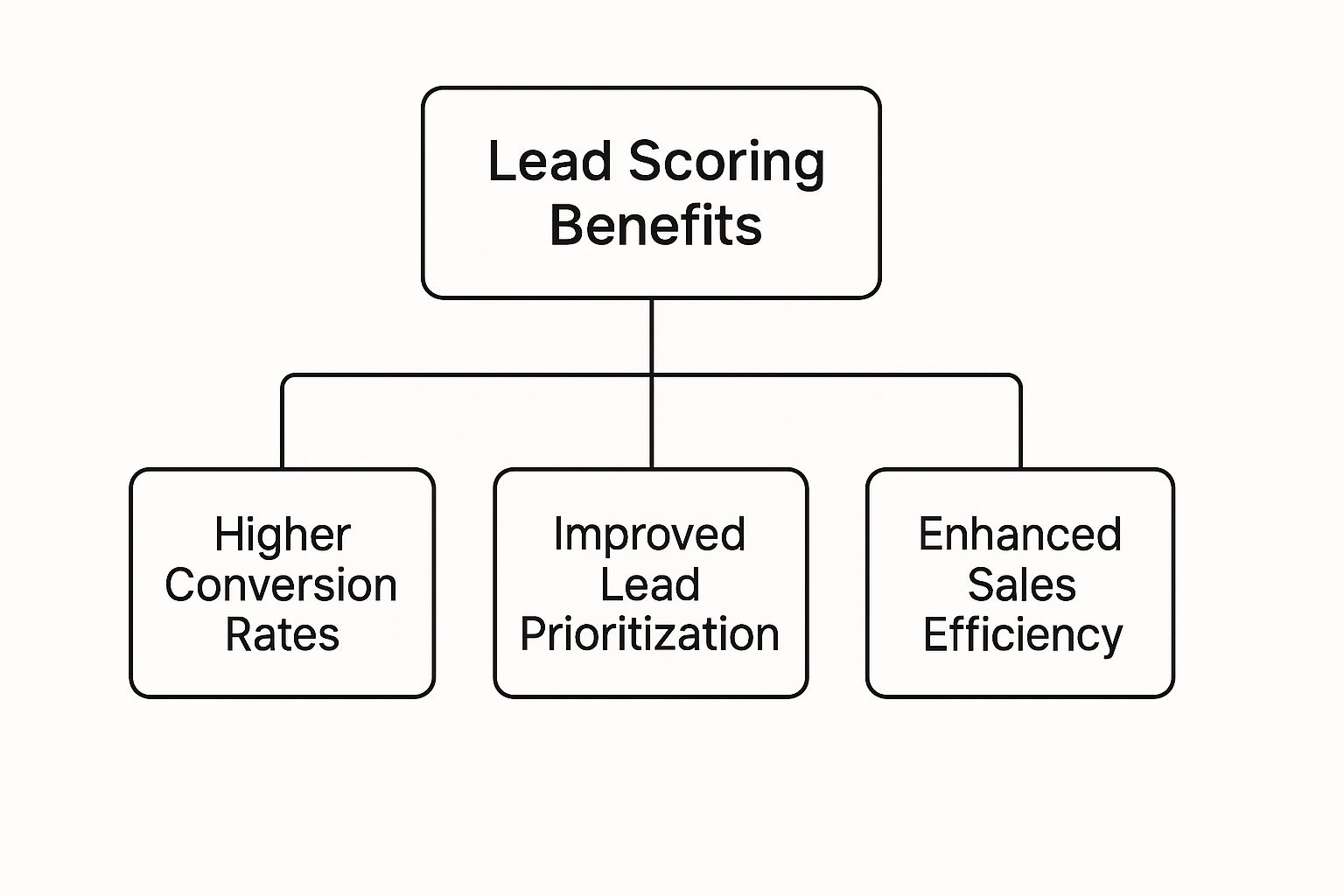
As you can see, organizing this data into a scoring model is the first step toward better prioritization, a more efficient sales team, and ultimately, higher conversion rates.
Implicit Data: What They Do
While explicit data tells you if a lead is a good fit, implicit data tracks their engagement to signal just how interested they really are. A lead who downloads your pricing guide is sending a much stronger buying signal than someone who just follows you on social media. It's all about intent.
Important implicit signals to track include:
- Visiting high-value web pages (like your pricing or demo request pages).
- Downloading a case study or whitepaper.
- Opening marketing emails and clicking on the links inside.
- Attending a webinar.
Blending both data types is where the magic happens. In fact, about half of all companies use a mix of explicit and implicit data for their scoring. According to recent research, engagement frequency is the top scoring criterion for nearly three-quarters of marketers, which shows just how critical it is to focus on what leads are actively doing. You can dig into more of these lead scoring trends on Coefficient.io.
By combining who they are with what they do, you create a powerful, accurate picture of a lead’s true potential.
How to Build Your Lead Scoring Model in Salesforce

This screenshot gets right to the heart of lead scoring: assigning points to specific actions and traits that tell you a lead is getting warmer. Think of it this way—the higher the score, the more that lead looks like your ideal customer and the more they're interacting with you. It’s that simple.
So, how do you bring this to life inside Salesforce? You've got two main paths to choose from. First, there's the manual, rule-based approach, which puts you in the driver's seat. The second option is to let AI take the wheel with Salesforce Einstein for a more predictive, hands-off system.
Your choice really boils down to your team's resources, the quality of your data, and what you're trying to achieve. Both are solid ways to get lead scoring in Salesforce up and running, turning your ideas into a real-world tool for your sales team.
The Manual Rule-Based Approach
Going the manual route is like creating a custom recipe for your perfect lead. You get to hand-pick the ingredients (demographics, firmographics, behaviors) and decide exactly how much weight (points) each one carries. The beauty of this method is its transparency—it's easy to build, understand, and tweak.
First, you'll need to create a custom "Lead Score" field on the Lead object in Salesforce. From there, you'll use Salesforce's automation tools to build out your scoring logic.
- Process Builder or Salesforce Flow: These are your best friends here. You can create rules that automatically add or subtract points from the Lead Score when certain things happen. For instance, you could set up a rule that says, “If a lead’s Job Title contains ‘VP’ or ‘Director,’ add 15 points.”
- Specific Actions: You can also award points for key behaviors. Someone requests a demo? Add 10 points. Downloads a whitepaper? That's worth 5 points.
This hands-on approach is perfect for businesses that are new to lead scoring or have very specific, non-negotiable qualification criteria. And once you have these scores, you can use them to kick off other automations. For example, you can use them to power your lead assignment rules in Salesforce and get hot leads to the right reps, fast.
The AI-Powered Einstein Approach
If you're looking for something more advanced and predictive, Salesforce Einstein offers an AI-driven alternative. Instead of you telling the system what's important, Einstein dives into your historical data to figure out what actually makes a lead convert. It learns from your past wins and losses to build a scoring model that's constantly evolving.
Einstein Lead Scoring is designed to find the real signals hiding in your data. It often uncovers subtle patterns that a manual, rule-based system might completely miss, and it keeps getting smarter as you feed it more data.
To get started with Einstein, you'll need a decent amount of historical data—usually at least 1,000 leads created in the last six months with a minimum of 120 conversions. Once it's enabled, Einstein gets to work, analyzing your leads and assigning each one a score from 1 to 99 that represents its likelihood of converting. This takes the guesswork out of the equation, saves a ton of time, and improves accuracy by letting the data do the talking.
Unlocking Predictive Power with Salesforce Einstein
While manual rules give you control, they’re ultimately based on guesswork. You have to decide which criteria matter most. The real game-changer in lead scoring in Salesforce is moving away from those static rules and embracing the dynamic, AI-driven intelligence of Salesforce Einstein.
Think of Einstein as your personal data scientist. Instead of you telling it what makes a good lead, it tells you. Einstein pores over all your historical sales data—every single converted deal and every lost opportunity—to find the actual patterns that signal a high-quality lead. It learns what your best customers have in common and builds a predictive model from that proven success.
The result is a dynamic scoring system that gets smarter over time. Einstein often picks up on subtle signals your team would never think to program manually, like a specific combination of industry and website behavior that screams "ready to buy."
Moving from Guesswork to Data-Driven Certainty
With Einstein, your lead scores are no longer based on educated guesses. They're powered by a machine learning model that understands the nuances of your business.
This intelligent approach brings some serious advantages to the table:
- Pinpoint Accuracy: Einstein's models are built on your real conversion history, making them far more precise than rules defined by a human.
- More Time for Your Team: The system automates the entire process of building and maintaining the scoring model, freeing up your RevOps team for more strategic work.
- Constant Optimization: As you close more deals, Einstein continuously learns and refines its scoring logic. It’s always improving.
This shift to predictive analytics is completely reshaping how sales teams operate. The global market for these kinds of tools is projected to jump from $1.4 billion in 2020 to $5.6 billion by 2025, which shows just how big their impact is. You can dig deeper into these AI lead scoring market trends on SuperAGI.com.
By tapping into AI, you’re not just scoring leads; you're predicting the future of your pipeline. Einstein acts as an intelligent partner, giving your sales team the confidence to focus their energy exclusively on the leads who are genuinely on the path to becoming customers.
Best Practices for a High-Performing Scoring System

Putting a lead scoring model in place is a huge win, but the real magic happens when you treat it like a living, breathing system—not a one-and-done project. A great scoring model needs constant care and feeding to stay sharp. Without it, even the best-laid plans can get stale, fast, leading to a whole lot of missed opportunities.
Nailing a few key practices can be the difference between a high-octane sales engine and a project that fizzles out. These principles will keep your scoring accurate, your teams bought-in, and everything tied directly to your business goals.
Maintain Impeccable Data Hygiene
Let's get one thing straight: the golden rule of lead scoring is garbage in, garbage out. Your model is only as smart as the data you feed it. If your Salesforce org is a mess of incomplete fields, old info, and duplicate records, your scores will be all over the place. That's a surefire way to make your sales team lose faith in the whole system.
Regular data cleanup isn't just nice to have; it's non-negotiable. This means you’ve got to be:
- Standardizing fields to keep things consistent (e.g., everyone uses "United States," not a mix of "USA" or "U.S.").
- Enriching records with third-party data to fill in the blanks on things like company size or industry.
- Merging duplicate leads so you have one clean, accurate view of every single prospect.
A clean database is the foundation of any scoring system you can actually trust. When you make data hygiene a priority, every point assigned means something real, giving your sales team the confidence to jump on those high scores.
Embrace Negative Scoring
Knowing who isn't a good fit is just as valuable as knowing who is. That's where negative scoring comes in. It's a powerful way to downgrade leads that are clearly kicking tires, which stops their scores from getting artificially pumped up. Essentially, you subtract points for specific red flags.
For instance, you might want to deduct points for:
- Job titles like "Student" or "Intern."
- Email addresses from a competitor's domain.
- Someone poking around your careers or investor relations pages.
This simple move helps keep your reps focused on leads that have a real shot at converting, instead of wasting time on dead ends.
Foster Sales and Marketing Alignment
Your lead scoring model is doomed from the start if sales and marketing aren't on the same page about what makes a lead "qualified." This alignment is absolutely essential for building trust and creating a seamless handoff. When both teams have a say in the scoring criteria, everyone is working from the same playbook.
This can't be a one-time meeting, either. It has to be an ongoing conversation. Regular check-ins give both sides a chance to review what’s working, share feedback, and tweak the model based on what’s actually happening in the field. This feedback loop is what drives continuous improvement.
And once a lead is scored and ready, a rock-solid process for lead routing in Salesforce ensures it lands with the right rep instantly, giving you the best possible chance to close the deal.
From Messy Leads to a High-Performance Sales Engine
So, we've walked through the "why" and the "how" of lead scoring in Salesforce. If there's one thing to take away, it's this: you can absolutely transform a chaotic, unpredictable lead queue into a prioritized, well-oiled sales machine.
It really comes down to starting with a clear model, whether you're using classic rules or leaning on AI, and then committing to tweaking it over time. Once you do that, you're giving your team the clarity they desperately need. Their focus shifts from sifting through noise to what actually matters—closing deals.
Getting your scoring right is the first crucial step in making sure your team engages with the hottest prospects. To see what comes next in the journey, check out our guide on converting leads in Salesforce.
Think of this guide as your blueprint. Start small, make changes based on what the results are telling you, and build a real strategic advantage. Your sales pipeline will thank you for it.
The job isn't done once a lead gets a score. The real magic happens when your team acts on that score with speed and precision, turning that promising prospect into a happy customer. Building this system is a smart investment in a more predictable revenue future, giving you a serious edge when things get competitive.
Your Top Lead Scoring Questions, Answered
Even the best-laid plans come with questions. When you're rolling out a new system like lead scoring in Salesforce, it's natural for a few things to pop up. Let's tackle some of the most common ones I hear from teams just getting started.
How Often Should I Review My Lead Scoring Model?
Think of your lead scoring model as a living, breathing part of your strategy, not a "set it and forget it" task. I always recommend teams revisit their model at least quarterly.
Why so often? Because your business isn't static. Marketing campaigns change, buyer behavior shifts, and your own company's priorities evolve. A regular check-in lets you look at recent conversion data, grab fresh feedback from the sales team, and tweak your criteria to make sure your scores are still pointing you toward the best leads.
What Data Is Needed for Einstein Lead Scoring?
To get those slick, predictive scores from Salesforce Einstein, you need to give it a solid foundation of historical data to learn from.
The baseline recommendation is having at least 1,000 leads created in the last six months, with a minimum of 120 of those leads successfully converted. The more clean, quality data you can feed the AI, the better it will get at spotting your unique conversion patterns.
Think of it like this: The more examples of past wins you give Einstein, the better it becomes at spotting future winners in your pipeline.
Can I Use Negative Scoring in Salesforce?
Yes, and you absolutely should! Negative scoring is a seriously powerful tool for weeding out poor-fit leads and stopping their scores from getting artificially pumped up. It's easy to set up rules in Salesforce that subtract points for specific red flags.
A few classic examples include subtracting points when someone:
- Visits the careers page on your website (they're probably looking for a job, not a demo).
- Has a "student" or "intern" job title.
- Uses an email address from a direct competitor's domain.
This is a simple but effective way to help your sales team stay laser-focused on prospects who actually have the potential to buy.
Ready to stop losing high-intent leads? Distro automatically routes prospects to the right sales rep’s calendar the moment they hit your demo form, tripling conversion rates. Learn how Distro can transform your inbound sales process.