
So, what do we actually mean by "lead management" in Salesforce? At its core, it's the entire journey a prospect takes with you—from the first sign of interest until they're a happy, paying customer.
Think of it as the central nervous system for your sales pipeline. It’s a coordinated strategy to capture, track, qualify, and nurture every single potential deal, making sure nothing gets left behind. This is what turns your CRM from a simple digital filing cabinet into a genuine revenue-generating machine.
Why You Can’t Afford to Ignore Lead Management in Salesforce
Let's play out a common scenario. Your marketing team just dropped a hundred fresh leads into the system. Without a solid process, what happens? They just... sit there. A digital pile of potential that slowly goes cold.
Reps scroll through and cherry-pick the ones that look like easy wins. High-value prospects get ignored because they don't look "hot" right away. Follow-up is sporadic, inconsistent, or just plain forgotten. This kind of chaos is a surefire way to bleed revenue.
A smart lead management salesforce strategy is the antidote. It builds a clear, automated, and measurable path for every single lead. It’s the operational glue that holds your marketing efforts and your sales results together, ensuring a smooth handoff and squeezing every last drop of value out of your pipeline.
The Bedrock of a High-Performing Sales Team
Getting your process locked down isn't just about being organized for the sake of it. It's about building a predictable, scalable revenue engine.
When leads are handled systematically, your team suddenly has clarity. They know exactly which prospects to focus on, what the next step should be, and the best way to engage them. This kind of discipline is what separates the companies that hit their growth targets from those that just... don't.
This system is built on a few key functions:
- Lead Capture: Automatically grabbing leads from all your sources—web forms, emails, events—and pulling them straight into Salesforce. No more manual entry.
- Lead Tracking: Keeping an eye on every single interaction. Every email open, every website visit, every demo request. It all comes together to build a complete picture of a lead's interest.
- Lead Qualification: Using scoring and grading to figure out who's ready for a sales call and who needs a bit more time in the nurture oven.
- Lead Distribution: Instantly sending qualified leads to the right salesperson based on territory, product expertise, or even just who's available right now.
Solving the Sales Headaches That Cost You Money
Most of the day-to-day frustrations in sales can be traced back to sloppy lead management. We've all seen it happen.
Slow response time is a notorious deal-killer. Did you know that contacting a lead within the first five minutes can dramatically boost your odds of converting them? When leads fall through the cracks or get routed to the wrong rep, you’re not just losing one sale—you’re basically gift-wrapping a new customer for your competition.
A well-oiled Salesforce setup is the definitive fix for these expensive problems. It swaps out manual guesswork for automated precision, ensuring every lead gets the right attention, right away.
By putting a real strategy in place, you tackle these issues head-on. Salesforce stops being a place where you just store contact information. It becomes an active guide, pointing your sales team toward their best opportunities and creating a seamless journey for your reps and your future customers.
The Salesforce Lead Workflow from Start to Finish
To really get a handle on lead management in Salesforce, let's follow a single lead on its journey, from the first digital handshake all the way to becoming a paying customer.
Picture this: someone is browsing your website, reads your latest blog post, and is intrigued enough to fill out a "Request a Demo" form. The second they hit "Submit," a whole sequence of events kicks off inside Salesforce.
This first step is what we call Lead Capture. Salesforce instantly creates a new Lead record, automatically grabbing all the details from the form—name, email, company, whatever you've asked for. This isn't just data entry; it's the official start of a tracked, organized relationship.
This infographic gives you a quick visual of that initial lead capture process, the critical starting point for everything that follows.
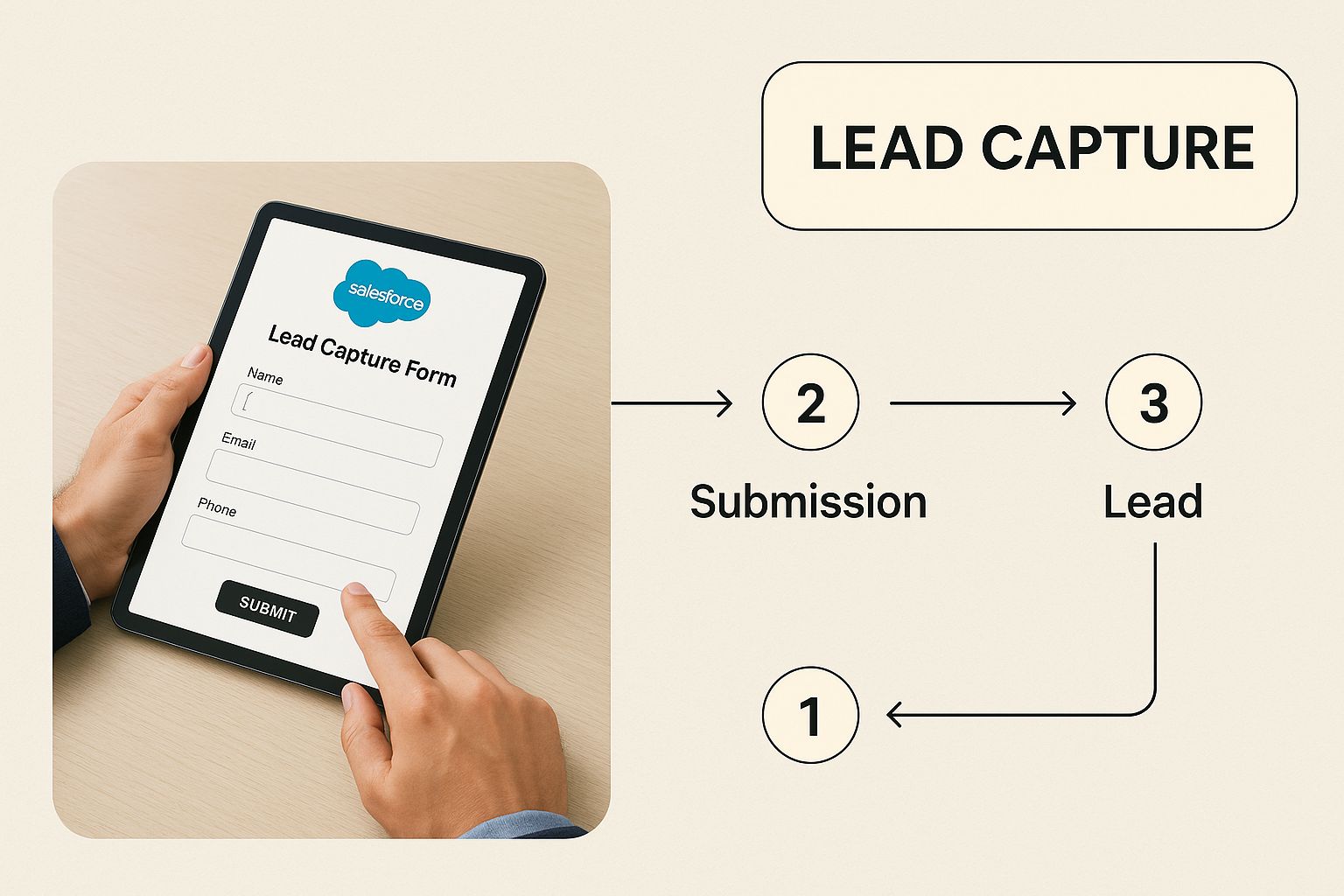
As you can see, a simple action from a potential customer seamlessly becomes a structured piece of data in the CRM, primed and ready for the sales team.
The First Steps of Qualification and Routing
Once that lead is in Salesforce, it's essentially a blank slate. The first order of business is giving it a Lead Status. This field tracks its progress, starting with something like "New" or "Open" to show it hasn't been touched yet.
At the same time, the Lead Source field gives you crucial context. Did this lead come from the website? A trade show? A partner referral? Knowing the source is how you measure what’s working in your marketing and calculate your ROI.
Now comes the really time-sensitive part: getting this lead to the right salesperson, fast. This is where Salesforce Assignment Rules are a lifesaver. These are simple, automated rules you build to direct incoming leads based on criteria you set.
- Geographic Routing: A lead from California? Send it to the West Coast team.
- Company Size Routing: A company with over 500 employees? That goes to an enterprise rep.
- Product Interest Routing: They asked about a specific product? Route it to a product specialist.
For example, you could set up a rule that says, "Any lead from the manufacturing industry with over 1,000 employees gets assigned to our top enterprise rep, Jane Doe." This kind of automation cuts out the manual sorting and slashes your response time.
The Journey to Conversion
As your sales rep starts working the lead, they'll update the Lead Status to reflect their progress—moving it from "Working" to "Contacted," and hopefully, to "Qualified." The goal here is pretty simple: figure out if this person has a real need, the budget to buy, and the authority to make a decision.
Once a lead is qualified and ready for a real sales conversation, the conversion process begins. This is a key moment in the Salesforce workflow where that single lead record transforms into three separate, linked records.
This is what separates a raw name from a tangible sales opportunity. Salesforce handles this transition beautifully.
- Account: This record represents the company the lead works for. All future deals and interactions with this company will live under this Account.
- Contact: This is the individual person you've been talking to. They are now officially linked to the Account record.
- Opportunity: This is the potential deal itself. It’s where your team tracks the dollar amount, forecast category, and sales stages as they work to close the business.
After the conversion, the original lead record gets archived. It's a clean break that keeps your pipeline full of qualified deals, not just a messy list of unvetted prospects. This workflow is a core strength of Salesforce, but it's not without its limits. While the platform is powerful, its built-in features for things like data enrichment, advanced routing, and pipeline management can sometimes require pricey add-ons or third-party tools to fill the gaps. To learn more, check out our complete guide to the Salesforce lead management ecosystem and how to extend its power.
Optimizing Your Salesforce Lead Management Process
Knowing the basic lead workflow is one thing. Turning that workflow into a high-performance revenue engine is something else entirely. This is where top-performing sales and RevOps leaders really separate themselves from the pack. It’s about moving beyond Salesforce’s default settings and actively shaping your lead management Salesforce instance to work smarter, not just harder.
The goal here isn't just about tweaking a few settings. It's about building a system that's predictable, scalable, and ruthlessly efficient. Let's get into the practical, actionable strategies you can implement today to make that happen.

Establish a Standardized Qualification Framework
One of the biggest, most persistent points of friction between marketing and sales is agreeing on what a "good" lead actually looks like. A standardized qualification framework cuts through the ambiguity and ensures everyone is speaking the same language. Think of it as a shared checklist that every single lead has to pass before it gets handed over.
Frameworks like BANT or MEDDIC are popular for a reason—they provide a solid foundation.
- BANT: Stands for Budget, Authority, Need, and Timeline. This is a classic for a reason. It helps reps quickly figure out if a prospect has the basic ingredients to actually make a purchase.
- MEDDIC: Metrics, Economic Buyer, Decision Criteria, Decision Process, Identify Pain, and Champion. This one is more in-depth, making it perfect for those complex, enterprise-level sales cycles.
To get this running in Salesforce, you'll want to create custom fields on the Lead object for each part of your chosen framework. If you go with BANT, you’d create fields for things like "Budget Confirmed," "Authority Level," "Need Identified," and "Purchase Timeline." This gives your reps a clear, consistent structure for every qualification call and makes the handoff from marketing to sales totally seamless.
Enforce Data Hygiene with Validation Rules
Bad data is the silent killer of any sales process. It’s the source of bounced emails, wasted calls, and reports that are flat-out wrong. The best way to fight it is to stop bad data from ever getting into your system in the first place. For that, Salesforce Validation Rules are your first line of defense.
Validation Rules are basically formulas that check the data a user enters into a record to make sure it meets your standards before they can save it.
You can think of a validation rule as a bouncer at the door of your database. If the data isn't formatted correctly or is missing critical information, it doesn't get in.
For example, you can create a rule that requires a phone number to be in a specific format. Or you can set one up that ensures a lead can't be moved to a "Qualified" status until all your key BANT framework fields are filled out. This simple step can drastically improve your data quality and the overall effectiveness of your entire lead management process. You can even take this a step further by using AI chatbot strategies for lead qualification to help capture clean data from the very first touchpoint.
Build a Powerful Lead Scoring Model
Let's be honest: not all leads are created equal. A powerful lead scoring model automatically surfaces the hottest prospects, freeing up your sales team to focus their energy on deals that are actually likely to close. This is a total game-changer for team efficiency.
Lead scoring works by assigning points to leads based on who they are and what they do. It’s typically broken down into two parts:
- Demographic Scoring (Fit): Points are awarded based on how well a lead matches your ideal customer profile (ICP). This includes data points like job title, industry, and company size. A "VP of Sales" at a 500-person tech company would get a nice, high score here.
- Behavioral Scoring (Interest): Points are given based on a lead's actions. This is where their engagement comes in—things like visiting your pricing page, downloading a whitepaper, or requesting a demo.
When you combine these scores, you get a crystal-clear hierarchy of lead priority. A lead with a high fit score and a high interest score is a red-hot opportunity that needs immediate follow-up. The data backs this up, too. Research shows that 28.6% of businesses track direct sales or revenue as their primary ROI metric for lead generation, which means they are prioritizing financial outcomes over just raw lead volume.
Building a solid model is key. To get started, you can check out this detailed guide on lead scoring in Salesforce to help elevate your strategy from the ground up.
Salesforce Lead Management Best Practices Checklist
To tie this all together, here’s a quick checklist you can use to make sure you’re hitting the most important points for optimizing your lead management process in Salesforce.
| Focus Area | Key Action | Expected Impact |
|---|---|---|
| Alignment | Implement a shared qualification framework (e.g., BANT, MEDDIC). | Reduces friction between marketing and sales; ensures higher quality handoffs. |
| Data Quality | Use Salesforce Validation Rules to enforce data entry standards. | Prevents bad data from entering the system; improves reporting and rep efficiency. |
| Prioritization | Build a lead scoring model based on fit and interest. | Allows sales to focus on the most promising leads, increasing conversion rates. |
| Automation | Set up workflows to automate lead assignment and initial follow-up. | Improves speed-to-lead and ensures no lead falls through the cracks. |
| Reporting | Create dashboards to track key metrics like conversion rates and lead age. | Provides clear visibility into process performance and identifies bottlenecks. |
Following these best practices isn't just about housekeeping; it's about building a robust foundation that directly contributes to revenue growth and operational efficiency.
Advanced Lead Routing Beyond Native Salesforce Rules
Salesforce’s built-in assignment rules are a decent place to start. They can get a new lead to the right team, more or less. But think of them like a basic GPS that only uses a printed map. It’ll get you to the right city, but it has no idea about real-time traffic jams, road closures, or that sneaky shortcut only locals know.
This is where fast-growing sales teams hit a wall. The standard tools just aren't flexible enough for the complexities of modern sales. Trying to set up a simple round-robin feels like a clunky, manual chore. And routing a lead based on a rep's actual, real-time availability? Forget about it. This inflexibility leads straight to slower response times, which means hot prospects lose interest while they're stuck waiting for someone to call them back.
The Limits of Standard Salesforce Assignment
Let's get specific. Where exactly do the native rules fall short? The cracks really start to show as your lead volume grows and your sales team expands.
- Fair Lead Distribution: Out of the box, Salesforce doesn’t have a true, automated round-robin feature. Teams end up resorting to messy spreadsheets and manual assignments or building fragile workarounds that break easily. The result is almost always an uneven workload.
- Complex Territory Management: What happens when your territories aren't just based on zip codes? If you need to route by industry, company size, and specific account lists, you have to build layers of logic that quickly become a tangled mess in the standard assignment rules.
- Workload Balancing: Native rules are blind to reality. They have no idea if your top rep is buried in back-to-back demos or if another is totally free. This means a red-hot lead can land in the queue of a rep who won't see it for hours, cooling off by the minute.
These aren't just minor headaches. They create serious bottlenecks that kill your speed-to-lead and tank your conversion rates. Today's B2B sales cycles are complex, often involving multiple product lines and customer profiles that Salesforce's old-school routing just wasn't built for.
Introducing Intelligent, Real-Time Routing
This is where modern, integrated tools completely change the game. Instead of relying on static rules that run on a delay, intelligent routing platforms like Distro plug directly into your lead sources and your reps' calendars to make instant, optimized decisions.
Think of it like an expert air traffic controller for your leads. It doesn't just know whose turn it is; it knows who is the best person to handle that specific lead right now and can book a meeting on the spot.
This automated approach unlocks powerful capabilities that just aren't possible with Salesforce alone.
From Static Rules to Dynamic Connections
Let's look at a few of these advanced routing strategies. They represent a huge shift in thinking—from simply assigning a record to actively connecting a prospect with a person.
One of the most powerful is skills-based routing. This is all about matching leads to reps who have specific expertise. For instance, a lead from the healthcare industry can be automatically sent to a rep who lives and breathes that vertical. The first conversation is instantly more relevant and valuable.
Then there’s instant meeting booking. Instead of a prospect filling out a form and waiting for an email, intelligent routing can show the qualified rep's live calendar right on the confirmation page. The prospect books a meeting that works for them, striking while the iron is hot and eliminating all the frustrating back-and-forth.
To really nail this, it helps to understand the core principles. Diving into a few lead routing best practices can give you a solid framework for building out your own strategy.
A Tale of Two Companies
To see the difference, here’s a quick before-and-after story.
Before: A SaaS company was using basic Salesforce rules. Demo request leads were assigned based on state. A hot lead from California fills out the form at 3 PM on a Friday. The assigned rep, however, had already logged off for the weekend. The lead doesn't hear a peep until Monday morning, by which time they’ve already scheduled a demo with a competitor who got back to them in minutes.
After: The same company plugs in an intelligent routing and scheduling tool. The California lead submits the form. The system instantly sees the primary rep is offline. It immediately reroutes the lead to the next-best rep who is available and displays their calendar on the confirmation screen. The prospect books a meeting for that same afternoon. A connection is made in minutes, not days. That’s the power of moving beyond static rules.
Building Dashboards to Measure Lead Management Success
 You can't improve what you don't measure. It's an old business saying, but it’s the golden rule for lead management in Salesforce. Without a clear view of your performance, you're flying blind—you have no way to spot bottlenecks, celebrate wins, or make smart, data-driven decisions.
This is exactly where Salesforce reports and dashboards come into play. They're your command center, transforming raw lead data into insights you can actually use. They give you a live, at-a-glance view of your entire sales funnel's health. The goal isn’t just to have data; it's to build a comprehensive dashboard that answers your most critical questions instantly.
Core Metrics for Your Lead Management Dashboard
To build a dashboard that’s actually useful, you have to track the right things. While you could measure dozens of different data points, a handful of key performance indicators (KPIs) tell most of the story. Nail these essentials first.
- Lead Volume by Source: This report tells you where your leads are coming from (Organic Search, Paid Ads, Events, etc.). It’s critical for figuring out which marketing channels are hitting the mark and where you should double down on your investment.
- Lead Conversion Rate: This is the big one—the percentage of leads that successfully turn into Accounts, Contacts, and Opportunities. It's a direct measure of how well your sales team is qualifying leads and speaks volumes about lead quality from marketing.
- Time to Conversion: How long does it take for a brand-new lead to become a converted one? A long cycle might point to slow follow-up times or a broken nurturing process. Shortening this is one of the fastest ways to boost revenue.
- Lead Source ROI: By tracking the opportunities and closed-won revenue that comes from each lead source, you can finally calculate your true return on investment. This metric lets you allocate your marketing budget with confidence, not guesswork.
These metrics are the foundation of a solid dashboard. They give you a clear, holistic view of your process from the very beginning to the end. For a deeper dive into what influences these numbers, check out our guide on Salesforce lead conversion.
Building Your First Salesforce Reports
Getting these reports set up in Salesforce is more straightforward than you might think. The platform’s report builder is a simple drag-and-drop tool.
Let's walk through building a "Lead Conversion Rate" report as a quick example.
- Head over to the Reports tab and click "New Report."
- Choose the "Leads" report type and hit "Start Report."
- In the "Filters" section, set the "Date" range you want to analyze (like "This Quarter").
- Over in the "Outline" section, group your rows by "Lead Source" so you can compare how different channels perform.
- Add a summary-level formula to calculate the conversion rate. The formula is simply
CONVERTED:SUM / RowCount—it just divides the number of converted leads by the total number of leads. - Click "Save & Run" and you’re done.
You can repeat a similar process for each key metric, tweaking your columns and filters to get the exact view you need.
A well-built dashboard doesn't just show you data; it tells a story. It highlights where your team is crushing it and pinpoints the exact stages in your funnel that need a little help.
This kind of visibility is the bedrock of continuous improvement for any sales organization. Salesforce's market dominance, which is reflected in its projected revenue of $40.5 billion to $40.9 billion, is built on its power to provide this exact kind of data-centric control. As more companies rely on integrated platforms like Sales Cloud and Data Cloud, knowing how to build and interpret these dashboards is becoming a non-negotiable skill for any revenue leader. You can see more on these figures in their latest financial report.
Once your reports are ready, you can add them as components to a new dashboard. Arrange them logically to create a visual narrative that anyone in leadership can understand in seconds, empowering them to make faster, smarter decisions that actually drive growth.
Common Salesforce Lead Management Mistakes to Avoid
Knowing what not to do is just as important as having a game plan. Even a solid lead management Salesforce strategy can get completely derailed by a few common, costly mistakes. These aren't just minor hiccups; they can bleed revenue, frustrate your teams, and turn your sales funnel into a leaky bucket.
Think of it like building a high-performance engine but then filling the tank with cheap, low-grade fuel. You can have the best tech in the world, but simple process errors will keep you from ever hitting top speed.
Let's walk through the most frequent blunders we see and how to steer clear of them.
Neglecting Data Quality and Enrichment
Bad data is the number one saboteur of any lead management process. Full stop.
When contact information is wrong, incomplete, or just plain old, your whole sales motion seizes up. Reps waste precious hours chasing ghosts, marketing automations break down, and routing rules misfire, sending perfectly good prospects into a black hole.
And the problem gets worse when you skip data enrichment. Keeping lead data accurate and detailed is a constant battle, and frankly, native Salesforce features often need a hand from third-party tools to really flesh out lead profiles. This is why you see so many Salesforce customers layering in advanced analytics—it’s how you stay competitive. You can dig into more lead generation statistics on callpage.io to see the bigger picture.
A lead with a missing phone number or an outdated job title isn’t just an inconvenience. It’s a potential deal that’s dead on arrival. Proactively cleaning and enriching your data isn't a "nice-to-have," it's absolutely non-negotiable.
Creating Overly Complex Automation
Automation is a game-changer, but it’s easy to get carried away. When teams build ridiculously complicated workflows, Process Builders, or Flows, they end up with a system that's fragile, a nightmare to troubleshoot, and impossible to scale.
One tiny change can create a domino effect, breaking a crucial part of the lead lifecycle. The worst part? You might not even notice until the damage is done. The whole point of automation is to simplify, not to build a labyrinth.
Start with the simple, high-impact stuff first:
- Initial lead assignment: Instantly get new leads to the right person or queue.
- Status updates: Automatically update a lead's status when a key action happens, like after the first email goes out.
- Task creation: Pop a follow-up task on a rep's plate as soon as a lead hits a certain score.
Keep your automation logical and document everything. If a sales rep can't look at a lead and immediately understand why it landed on their desk, your system is already too complex.
Misaligning Marketing and Sales on Lead Definitions
This is the classic point of failure: the clumsy handoff between marketing and sales. And almost every single time, it comes down to one thing—they can't agree on what makes a lead "qualified."
Marketing pops the champagne for hitting their MQL (Marketing Qualified Lead) goal, while the sales team is grumbling about getting a bunch of low-quality leads who aren't ready to talk. Sound familiar?
This friction burns through resources, breeds resentment, and kills morale. The fix is to sit down and hammer out a crystal-clear, mutually-agreed-upon definition for every stage of the funnel, especially that crucial MQL-to-SQL (Sales Qualified Lead) transition.
Get this agreement down in writing—it’s often called a Service Level Agreement (SLA)—and build it directly into Salesforce. Use specific, objective criteria from your lead scoring and qualification framework to define the exact moment a lead is ready for sales. That way, everyone's playing from the same rulebook, creating a pipeline that actually flows.
Burning Questions About Salesforce Leads
Let's tackle some of the most common questions that pop up when you're in the trenches with Salesforce lead management. These are the key concepts and processes that trip people up the most.
How Do You Handle Duplicate Leads?
Salesforce actually has your back here with built-in duplicate and matching rules. These kick in automatically and flag potential duplicates the moment they’re created.
The best move? Merge those records right away. Doing this combines all the info into one single, master record. It's a simple step, but it’s absolutely crucial for keeping your database clean and ensuring everyone is working from the same source of truth for every prospect.
What's the Difference Between a Lead and a Contact?
Ah, the classic question. Getting this right is fundamental.
Think of a Lead as an unqualified prospect. They've raised their hand—maybe filled out a form or visited your booth—but you haven't really vetted them yet. They're a name, an email, and a glimmer of interest.
Once your sales team qualifies them and confirms there's a real potential for a deal, that Lead gets converted. This single action magically creates three distinct records: an Account (for the company), a Contact (for the person you're talking to), and an Opportunity (to track the potential deal itself).
Can You Automate Lead Nurturing?
Absolutely, and you definitely should. You can use tools like Marketing Cloud Account Engagement (what we used to call Pardot) or Sales Engagement to build out automated email campaigns.
These workflows are perfect for nurturing leads who aren't quite ready to buy. They keep your brand top-of-mind with helpful content, so when they are ready for a sales conversation, you're the first one they think of.
Ready to stop letting hot leads wait? Distro connects to your forms to instantly route and book meetings for qualified buyers, turning high intent into scheduled demos. See how it works.