A great reminder email is helpful, not pushy. That’s the core of it.
Nail a clear subject line, get straight to the point in a polite way, and give them a single, obvious next step. Once you master that simple structure, your follow-ups will feel less like nagging and more like a gentle nudge.
Why Your Reminder Emails Are Being Ignored
Let's be honest: most reminder emails are a chore to write and a pain to receive. They often come across as generic, demanding, or even a little desperate, which is a surefire way to get them instantly deleted.
If your follow-ups aren't getting the responses you need, it's probably not because people are intentionally blowing you off. It's because your message isn't cutting through the absolute chaos of their inbox.
Shifting from Demanding to Helpful
The real problem is a matter of perspective. A lot of us write reminders from a place of frustration—"Why haven't they responded yet?" That annoyance seeps into our writing, and we end up with an email that feels passive-aggressive or stiff.
Instead, you need to frame your reminder as a helpful check-in. The best starting point is to assume good intentions. Assume the recipient is busy, they forgot, or your original message simply got lost in the shuffle.
People miss emails for a million reasons:
- Inbox Overload: We all get it. The sheer volume of emails means some will inevitably get buried.
- Simple Forgetfulness: High-priority fires pop up, pushing smaller tasks down the to-do list. It happens.
- Unclear Next Steps: Maybe the original email wasn't crystal clear about what you needed from them.
When you learn how to send a reminder email that anticipates these common roadblocks, you transform the entire interaction. It's no longer a demand; it's an act of assistance. Your goal is to make their life a tiny bit easier, not to add another stressful item to their list. The same logic applies across different types of follow-ups—even the best abandoned cart email best practices are built on this idea of being helpful first.
Anatomy of a High-Impact Reminder Email
Let's break down the essential elements that separate a reminder that works from one that gets deleted on sight.
| Component | Its Role in Driving Action | Quick Win |
|---|---|---|
| Clear Subject Line | Grabs attention in a crowded inbox and sets expectations immediately. | Use keywords like "Reminder," "Follow-up," or the original subject line with "Re:". |
| Brief, Friendly Opening | Establishes a positive tone and acknowledges they're probably busy. | A simple "Hope you're having a great week" works wonders. |
| Context Refresher | Quickly reminds them what the original email was about without making them search for it. | "Just following up on my email from last Tuesday about..." |
| Single Call to Action | Makes it incredibly easy for them to know exactly what you need. One link, one question. | Bold the action item or use a button. Don't make them guess. |
| Value Proposition | Gently reminds them why they should take this action. What's in it for them? | "Approving this will let us move forward with the launch." |
Getting these five things right is 90% of the battle. It turns a potential annoyance into a genuinely useful prompt.
The Power of a Well-Crafted Nudge
Email isn’t going anywhere. With over 347 billion emails sent every single day, it's still the main way business gets done. And when it’s done right, the payoff is huge—companies see an average return of $42 for every dollar spent on email marketing.
Your reminder has to stand out to get a piece of that action. It needs to be sharp, concise, and respectful of the other person's time.
The best reminders don’t just ask for something; they add value. This could be by re-stating the benefit of taking action, clarifying a confusing point, or simply showing empathy for a busy schedule.
By adopting a helpful, value-driven approach, you not only get the response you need but also build a little bit of goodwill along the way. And that always pays off.
Writing Remers That Actually Get Read
Let's be honest: most automated reminders feel, well, robotic. They’re cold, demanding, and easy to ignore. The real art of a great reminder isn’t just about automation; it's about making your follow-up feel less like a system-generated demand and more like a helpful nudge from a real person.
It all starts with the subject line—your one and only shot to stand out in a sea of inbox noise.
Your Subject Line is Everything
Think about it. Generic labels like "Meeting Reminder" or "Invoice Overdue" are the email equivalent of elevator music. They’re technically there, but everyone tunes them out. They scream "automated," lack any urgency, and blend right into the background of a busy day.
To write a reminder that feels human, just think about how you'd ping a coworker on Slack. You wouldn't say, "Query: Status of Project X." You'd be direct but friendly. Something like "Quick question about our meeting tomorrow" almost always gets a faster reply than a generic alert because it feels personal and sparks just a little bit of curiosity.
Let's break down a few scenarios:
- Upcoming meeting: Ditch "Meeting Confirmation." Try "Looking forward to our chat on Wednesday!" or "Quick check-in for our 10 AM call."
- Unpaid invoice: Instead of the accusatory "Invoice #12345 Due," go with "Following up on invoice #12345" or even "Quick question about the recent invoice." It opens a conversation, not a conflict.
- Pending response: "Follow-Up" is the most ignored subject line in history. Get specific. "Circling back on the design mockups" works wonders because it provides immediate context.
These small shifts in wording completely change the tone. You go from being a sterile system notification to a thoughtful, one-to-one message.
Start with a Human Touch
Once they've clicked, the first line sets the stage. Don't just dive straight into your request—that’s what robots do. A short, personalized opening builds instant rapport and shows you see them as a person, not just another task on your list.
It doesn’t need to be an essay. A simple, "Hope your week is off to a great start," or a quick reference to a recent conversation makes a world of difference. If you know they just got back from a conference, a quick "Hope you had a great time at the event!" shows you’re actually paying attention.
This small act of acknowledgment makes your request feel way less transactional.
The best reminder emails don't just state facts; they establish a connection first. Acknowledge the person before you present the problem—it shows you respect their time and the relationship you have with them.
Be Brutally Clear and Concise
After that warm opening, get straight to the point. This is where so many reminders fall flat, burying the key info in a wall of text. Your recipient is busy. Make it incredibly easy for them to understand what you need in a single glance.
State the what, when, and why without any fluff.
- What: "I'm following up on the signed contract for the Q3 project."
- When: "Could you please send it over by end of day Friday?"
- Why: "This will let us kick off the onboarding process without any delays."
Notice the use of bolding? It helps their eyes jump straight to the critical details. Keep your paragraphs short—one or two sentences, max. This makes your email scannable and easy to digest on any device.
Finally, you need a crystal-clear call-to-action (CTA). This is your chance to remove every ounce of ambiguity and tell them exactly what to do next. A vague CTA like "Let me know your thoughts" is lazy and creates mental work for the other person.
A powerful CTA is singular and direct.
For example, compare this:
- Before: "Please review the attached document."
- After: "Could you approve the attached document by 3 PM today?"
That simple tweak transforms a passive suggestion into an actionable request with a hard deadline. It tells the reader precisely what success looks like, making it far more likely they’ll actually do it.
The Science of Sending Reminders at the Right Time
Even the best reminder content, sent at the wrong moment, is just noise. It’s the timing that turns an interruption into a genuinely helpful nudge. This isn't about finding one magic hour of the day; it’s about aligning your message with your recipient's mindset and the context of whatever you're asking them to do.
Timing really is everything, and a blanket approach will just fall flat. The right cadence depends entirely on the situation. For instance, getting people excited about a webinar requires a totally different playbook than chasing an overdue invoice. You have to adapt your schedule to the urgency and nature of the action.
Before timing even matters, though, you have to grab their attention. As this infographic shows, a compelling subject line is your first—and most important—hurdle.
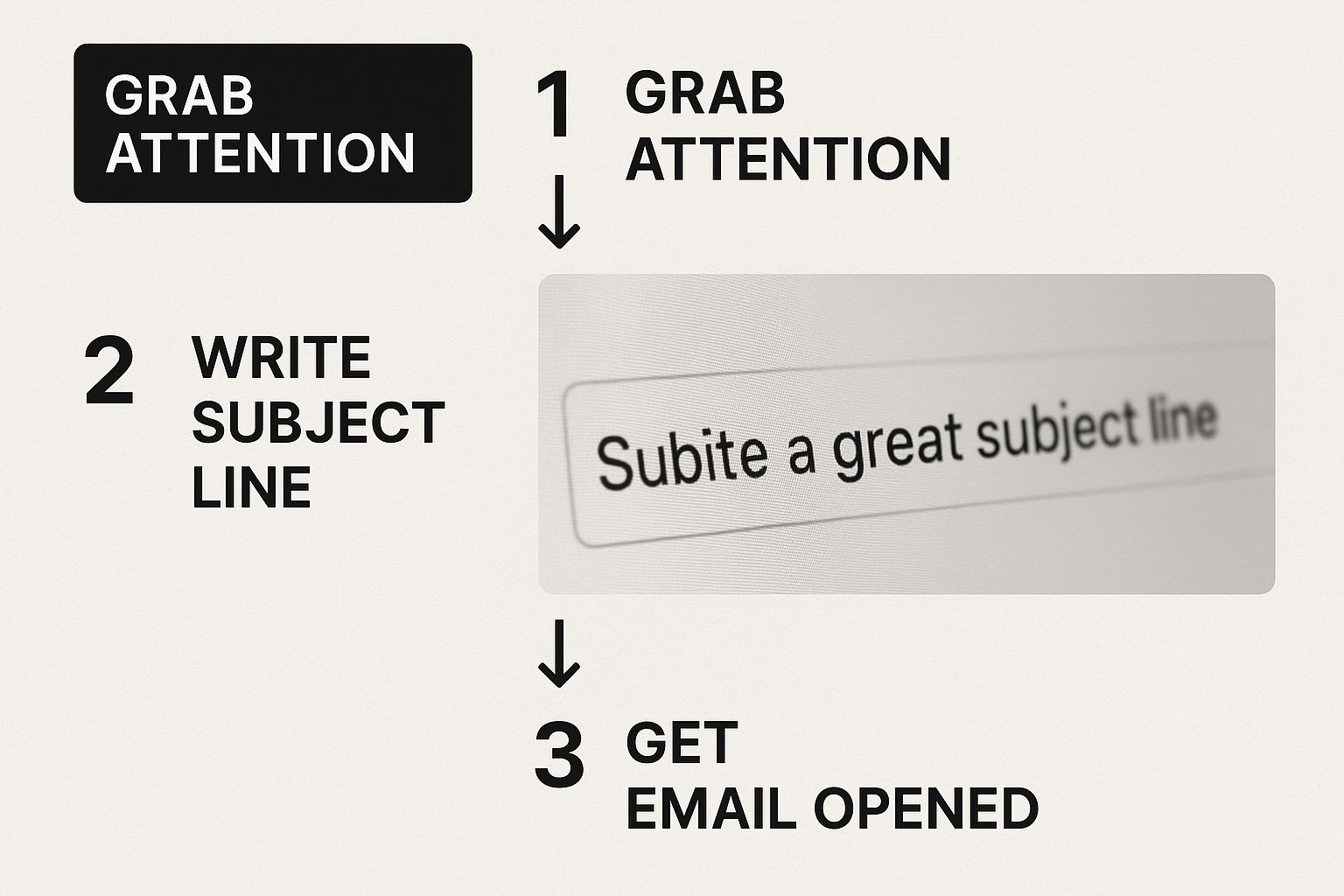
Without an effective hook, even a perfectly timed email is destined to get buried in a crowded inbox.
Matching Cadence to Context
Let's walk through some proven timing frameworks. Think of these less as rigid rules and more as strategic starting points you can tweak for your own needs.
- For an upcoming webinar or event: I've found a countdown approach works wonders here. A classic sequence is one week before, one day before, and one hour before the event starts. This builds anticipation and keeps your event top-of-mind.
- For an overdue invoice: The tone here needs to shift from informational to urgent over time. A solid cadence is one day after the due date, three days after, and a final notice seven days after. This gives a gentle nudge before escalating the urgency.
- For a pending proposal: You need to give them space to review without coming across as pushy. Following up three to five business days after sending the document is pretty standard. If you don't hear back, a second reminder a week later can often do the trick.
These cadences work because they tap into the recipient's psychological state. A webinar reminder feels like a helpful service, while an invoice reminder is a necessary part of doing business.
The goal isn't just to remind someone; it's to remind them at the precise moment they are most likely to take action. This means understanding their workflow and priorities.
Let Your Own Data Be Your Guide
While these frameworks are a great start, your best insights will always come from your own audience. Your own data holds the key to unlocking the perfect send times for your specific industry and customer base.
Start by digging into your email engagement metrics.
When are you seeing the highest open and click-through rates? Is it Tuesday mornings? Thursday afternoons? Look for the patterns. A B2B audience in the tech world might be most active mid-week, whereas a B2C audience could be more responsive over the weekend. Oh, and don't forget to segment by time zones—nothing kills engagement faster than a 3 AM notification.
Getting this right is more important than ever. With about 4.83 billion email users worldwide and daily volumes projected to hit 523 billion emails, the inbox is a battlefield. Mastering how to send reminder email messages at the right time isn't just a good idea; it's your best strategy for standing out. You can dive deeper into global email usage stats on blog.cloudhq.net.
Theory is one thing, but sometimes you just need something that works right now. Think of this as your practical toolkit—a collection of field-tested templates I’ve seen work time and again for the most common professional scenarios.
We’re not just dumping text on you, though. I’ll break down the psychology of why each one is so effective. These are built to be copied, tweaked, and put to work immediately.
The Friendly Meeting Confirmation
This isn't just about logistics; it's a small touchpoint to build rapport. The real goal here is to gently confirm the meeting, slash the odds of a no-show, and subtly reinforce why the chat is valuable in the first place. Keep it light, friendly, and helpful.
Subject: Looking forward to our chat on [Day]!
Hi [Name],
Just a quick, friendly reminder about our meeting scheduled for [Date] at [Time].
I've set aside this time to discuss [Briefly mention topic], and I'm really looking forward to our conversation. If anything comes up and you need to reschedule, no problem at all—just let me know.
Talk soon,
[Your Name]
Why it works: The subject line is positive and forward-looking, not robotic like "Meeting Confirmation." The body confirms the key details clearly while offering an easy, no-fault way to reschedule. That simple offer shows you respect their time, which goes a long way.
For a deeper dive into this specific scenario, we've put together a detailed guide on crafting the perfect reminder email for a meeting.
The Firm But Professional Payment Reminder
Chasing payments is always a bit awkward, but your email doesn't have to be. This template is direct and professional, laying out all the necessary info while assuming good intent. The key is to make it incredibly easy for them to pay you right away.
Subject: Following up on invoice #[Invoice Number]
Hi [Name],
Hope you're having a good week.
This is just a gentle reminder that invoice #[Invoice Number], which we sent on [Date Sent], was due on [Due Date]. I've attached another copy for your convenience.
Could you let me know when we might be able to expect payment? If you have any questions or have already sent it, please just disregard this message.
Thanks,
[Your Name]
Why it works: It's polite but unmistakably firm. It provides the invoice number and attaches a copy, which removes any potential friction or excuses for the recipient. That final question prompts a specific response about timing, not just a vague acknowledgment.
The Engaging Event or Webinar Reminder
Your goal here is simple: maintain excitement and get people to actually show up. A great reminder shouldn't just state the time and date; it needs to resell the value of the event and make them genuinely eager to join.
Subject: You're all set for [Webinar/Event Name] tomorrow!
Hi [Name],
The countdown is on! We're excited to see you tomorrow for [Webinar/Event Name] at [Time].
Get ready to learn about:
- [Key Takeaway 1]
- [Key Takeaway 2]
- [Key Takeaway 3]
Join us using this link: [Link to Event]
See you there!
The [Your Company] Team
Why it works: Those bullet points are crucial. They quickly resell the value, reminding them why they signed up in the first place. The call-to-action is a single, bolded link, making it impossible to miss.
A great event reminder doesn’t just inform; it re-engages. By highlighting the key benefits again, you transform a simple notification into a piece of value-driven content that boosts attendance rates.
Choosing Your Reminder Tone and Timing
The best reminders feel perfectly suited to the situation. A friendly nudge for a coffee chat is worlds apart from a final notice on an overdue invoice. Getting the tone and cadence right is everything.
This simple matrix will help you match the right approach to the situation, ensuring your message lands effectively.
| Reminder Type | Effective Tone | Example Cadence |
|---|---|---|
| Upcoming Meeting | Friendly & Helpful | 24 hours before; light and positive. |
| First Payment Due | Polite & Professional | On the due date or 1-2 days after; assumes good intent. |
| Event or Webinar | Enthusiastic & Urgent | 24 hours before (value focused) & 1 hour before (logistics). |
| Overdue Invoice | Firm & Direct | 7 days past due; shifts from reminder to inquiry. |
| Information Request | Collaborative & Clear | 3-5 days after initial request; provides context. |
| Final Notice | Serious & Conclusive | 30+ days past due; outlines consequences clearly. |
Ultimately, context is king. Think about your relationship with the recipient and the stakes involved before hitting send. A little bit of forethought here prevents your reminders from feeling generic or, even worse, tone-deaf.
Putting Your Reminders on Autopilot
Let’s be honest: manually tracking who needs a reminder and when is a recipe for missed opportunities and flat-out wasted time. It’s time to stop chasing people. You can build a reliable, efficient system that runs in the background, freeing you up to focus on the work that actually matters. That’s the real power of email automation.
The benefits are immediate. Automating your reminders ensures every follow-up is sent with perfect consistency, saving you hours of mental energy each week. More importantly, it completely eliminates human error—no more forgetting to chase an invoice or confirm a critical meeting. You set the rules once, and the system executes them flawlessly, every single time.
Building Your First Automated Sequence
Getting a simple automated sequence up and running is surprisingly straightforward. It all starts by defining a trigger—that specific event that kicks off the whole workflow. From there, you just need to craft the messages that will go out at timed intervals.
Let's walk through a classic scenario: a new user signs up for your webinar.
- Define the Trigger: The automation springs to life the moment someone hits "submit" on your webinar registration form. That's your starting pistol.
- Personalize the Messages: Use merge tags like
[First Name]and[Webinar Date]to make each email feel like it was written just for them. It’s a small step, but it makes a huge difference in how people engage. - Set the Schedule: Create a simple cadence that makes sense. Maybe an immediate confirmation email, a reminder 24 hours before the event, and a final nudge 1 hour before it all kicks off.
This "set it and forget it" approach ensures everyone who signs up gets the right information at exactly the right time, without you lifting a finger.
The core idea of automation isn’t just to send emails; it’s to deliver timely, relevant information triggered by a user's action. This transforms your reminders from generic blasts into helpful, contextual communication.
Working Smarter with Automation Rules
Basic automation is great, but smart automation is a complete game-changer. The most effective systems have rules that automatically stop the sequence once someone takes the desired action. This is crucial for avoiding irrelevant—and frankly, annoying—follow-ups.
For example, if you're sending reminders for an unpaid invoice, you can build a rule that says: "Stop sending reminders if the invoice status changes to 'Paid'." That simple condition saves you from accidentally nagging a client who has already settled up.
Similarly, for a meeting reminder, you could have a rule to stop all future emails if the person clicks your "Confirm Attendance" link. Building these kinds of intelligent rules is the key to creating a system that truly works for you, not against you. For a deeper look at setting up these kinds of workflows, check out our guide on how to automate your content marketing effectively.
Reminder Email FAQs
Even with the best templates and a slick automation setup, you're going to run into specific situations that make you pause. Let's tackle some of the most common questions that pop up when crafting reminder emails.
How Many Reminders Is Too Many?
This is the big one. There's a fine line between being persistent and just being annoying.
From my experience, a sequence of three reminders is the sweet spot for most scenarios. Think of it like this: the first one is a gentle nudge, the second is a more direct follow-up, and the third is your final, "closing the loop" message.
Pushing past three often does more harm than good. You risk damaging the relationship and, worse, getting your emails flagged as spam. If you've sent three messages with no reply, it's usually time to press pause and rethink your approach.
Should I Reply in the Same Email Thread?
Yes. Absolutely. Replying in the same thread is one of the simplest, most effective things you can do.
It instantly provides context by keeping the entire conversation history in one place. Your recipient doesn't have to go digging through their inbox to remember what you were talking about.
Just hit "Reply" on your last message and tweak the subject line to something like, "Re: Following up on the project proposal." This small step makes it incredibly easy for them to recall the details and get back to you.
A key part of sending an effective reminder email is minimizing the work for your recipient. Keeping everything in one thread is a small detail that shows you respect their time.
How Do I Optimize for Mobile Readers?
Making your emails mobile-friendly isn't just a "nice-to-have" anymore; it's a necessity. Mobile devices account for roughly 41.6% of all email opens. And get this: 42.3% of people will just delete an email if it looks wonky on their phone. If you want to dive deeper into the data, you can discover other compelling email statistics on porchgroupmedia.com.
So, how do you make sure your reminders look great on a small screen?
- Keep paragraphs short and punchy. One to three sentences is perfect.
- Use a clear call-to-action. A bold link or a button is much easier to tap than tiny text.
- Write concise subject lines. They get cut off on mobile, so get straight to the point.
For some solid, real-world examples, take a look at our collection of friendly email reminder templates. We designed them specifically for clarity on any device.
Ready to stop chasing leads and start closing deals? Distro automatically routes high-intent prospects to the right sales rep’s calendar the moment their interest is highest. Learn how Distro can 3X your demo request conversions.