
Why Your Sales Team Needs Better Lead Distribution
 Picture this: a high-value prospect fills out your demo request form on a Tuesday afternoon, clearly ready to make a decision. But that lead just sits in a queue, unassigned. By the time a sales rep finally reaches out on Friday, the prospect has already signed with a competitor. This costly scenario plays out every day in companies that haven't figured out intelligent lead distribution. Without a smart system, you’re not just losing deals; you're creating friction at every stage of your sales cycle.
Manual or poorly designed lead assignment is a silent killer of revenue. It creates hidden costs that go far beyond a single lost opportunity. When leads are distributed unfairly or inefficiently, your top performers can get swamped while others sit idle, leading to widespread burnout and frustration. This internal chaos directly hurts the customer experience, as prospects are left waiting for a response that often comes too late.
The High Cost of Slow Response Times
In the current market, speed is everything. The moment a prospect shows interest, a clock starts ticking. A slow response doesn't just suggest inefficiency; it tells the prospect they aren't a priority. As a result, even the most qualified leads quickly go cold, shrinking your team’s chances of ever making a connection.
The effect of speed on qualification rates is dramatic. Research from 2025 shows just how critical effective lead routing in Salesforce is. Businesses that respond to leads within 5 minutes are 21 times more likely to qualify them than those that wait just 30 minutes. This data proves that a delayed follow-up is functionally the same as no follow-up at all. You can explore the full research on lead response times to see just how crucial speed is for sales success.
From Manual Chaos to Automated Precision
The basic problem with manual lead assignment is that it’s wide open to human error and limitations. A sales manager trying to hand out leads can’t possibly account for every variable in real-time—rep workload, territory, expertise, or even time zones. This creates bottlenecks where leads pile up while the manager is busy or unavailable, grinding the sales engine to a halt.
Automated routing systems solve this by applying pre-set logic instantly, making sure every lead is sent to the best-suited rep the moment it arrives. This isn't just about being fair; it's about strategic alignment. To truly change your sales outcomes, understanding how to effectively start automating your sales process is key, and it goes beyond just lead distribution. By swapping manual guesswork for automated precision, you free up your team to focus on what they do best: building relationships and closing deals.
Understanding Lead Routing: Beyond the Basics
Effective lead routing in Salesforce is far more than a digital filing system; it's the strategic engine powering your entire inbound sales motion. Think of it as matchmaking for your business. The goal isn't just to assign a lead, but to create the perfect pairing between an interested prospect and the right salesperson—at the exact moment their curiosity is highest. This connection is what turns a name on a list into a closed deal.
Shallow routing strategies often don't work because they miss the nuances of a real sales environment. A simple, one-size-fits-all approach ignores the very factors that lead to success. To build a system that truly delivers, you need to look beyond basic criteria and consider the human elements of selling.
Core Approaches to Lead Distribution
At its most basic, lead routing gets leads to a salesperson. Two common methods form the foundation for most strategies:
- Round-Robin Routing: Imagine a card dealer giving one card to each player in turn. Round-robin assignment works the same way, distributing incoming leads sequentially to each rep on a team. This method is popular for its fairness and simplicity, ensuring everyone gets an equal opportunity. However, its biggest flaw is that it treats all leads and all reps as identical, which is rarely the reality.
- Territory-Based Routing: This approach assigns leads based on specific geographic areas, such as a state, country, or zip code. It's very effective for teams with field reps or those targeting regional markets. It aligns prospects with reps who have local knowledge and can build stronger regional relationships.
While these methods are a decent starting point, they often fall short in complex sales cycles. For example, a high-value lead from a key industry might land with a junior rep just because it was their "turn" in the round-robin queue. This is a huge missed opportunity.
Why Context Is King in Routing
Truly effective lead routing considers a richer set of data points to make smart assignments. The system should be clever enough to ask important questions before making a decision. For instance, what is the prospect's company size or industry? Which product are they interested in? Does one of your reps have deep expertise in that particular vertical?
Consider these critical factors that elevate routing from a simple chore to a strategic advantage:
- Representative Expertise: Matching a lead from the fintech industry with a rep who has 10+ years of experience selling to financial institutions.
- Current Workload: Automatically sending a new lead away from a rep who is already swamped with demos for the day to someone with more availability.
- Account History: If the lead is from an existing customer account, it should automatically go to the designated account manager to ensure a consistent experience.
By layering these contextual rules, you create a dynamic system that doesn't just pass out leads—it optimizes for the highest probability of conversion. You can explore these strategies further in our complete guide on lead routing best practices. This progressive approach ensures every prospect is a perfect match for your team.
Building Blocks of High-Performance Lead Distribution
 To build a lead routing in Salesforce system that truly moves the needle, you need to understand its fundamental components. Many sales teams only consider the basics, like geography or rep availability. But a high-performance system is built from several connected parts working together. Ignoring these is like trying to build a house with only two walls—it’s bound to be unstable.
These building blocks ensure your distribution logic is not just fair but also smart, adapting to the details of your sales process and maximizing every lead's potential.
Integrating Lead Scoring
A great system knows that not all leads are created equal. Lead scoring is the mechanism that tells you who is a serious prospect and who is just browsing. By plugging your lead scoring model directly into your routing rules, you can create an express lane for your most promising opportunities.
Imagine a lead scores a 95. They’ve checked out the pricing page, work for a company that fits your ideal customer profile, and just requested a demo. An integrated system immediately routes this lead to a top account executive, letting them skip the line. This ensures your best reps are focused on deals that are most likely to close.
Harmonizing Territory and Capacity Management
Territory management and rep capacity need to work in sync. Territories define who is eligible for a lead based on factors like industry or location. Capacity management determines if that eligible rep can actually take on more work. Many companies manage these separately, which can lead to problems. A rep might get a new lead from their territory, but if they’re already juggling 10 demos that week, that lead will just sit there.
A smart system checks both:
- Is this lead in Rep A's territory? (Yes)
- Is Rep A under their capacity limit? (Yes)
- Assign the lead.
If Rep A is at capacity, the system should automatically find the next best rep in the same territory. This approach prevents rep burnout while maintaining speed-to-lead. To build a solid distribution strategy, consider reviewing key lead routing best practices that can sharpen your sales efficiency.
Establishing Backup Protocols
What happens when no one fits the criteria? Maybe a lead comes in from a new, unassigned territory, or the designated rep is on vacation. Without backup assignment protocols, that lead could easily fall through the cracks. A safety net, like a "catch-all" queue monitored by a sales manager or a round-robin pool for unassigned leads, provides 100% accountability. No lead gets left behind.
These components work together to form a responsive system. For a closer look at the tools that make this possible, check out our guide on lead distribution software.
Effective lead distribution in Salesforce relies on key metrics that directly impact sales results. Lead response time is often the most critical, as faster engagement is strongly linked to higher conversion rates. Companies refine their routing strategies by analyzing conversion rates by lead source, making sure rules direct leads from the most productive channels effectively. Discover more insights about lead distribution metrics to see how you can measure success.
Choosing the Right Lead Routing Solution for Your Team
Picking the right solution for lead routing in Salesforce is a critical choice that directly affects your sales efficiency and, ultimately, your revenue. The market has plenty of options, from tools already inside Salesforce to advanced third-party platforms. The best one for you depends entirely on your team's size, the complexity of your sales process, and your growth plans. Making the wrong choice can lead to frustrated reps, lost deals, and a system that creates more headaches than it solves.
For any business using the platform, the first step is to understand the core capabilities of the Salesforce CRM. Its built-in tools are a solid starting point for many organizations.
Native Salesforce Tools vs. Third-Party Solutions
Salesforce gives you features like Lead Assignment Rules and Flow Builder to handle basic routing tasks. If you have a small team and a simple sales process, these tools are often all you need. For instance, you can set up a basic round-robin distribution or assign leads based on territory without spending extra money.
However, these native tools have their limits. They can become difficult to manage when your logic gets complex—like trying to route leads based on both a rep’s current workload and their specific product knowledge. Maintaining these rules often requires a deep technical understanding of the Salesforce platform.
This is where third-party solutions step in. They are designed to overcome these native limitations by offering:
- Complex, multi-factor logic: Route leads using dozens of data points at once, from lead score and company size to rep performance and real-time availability.
- Real-time vs. batch processing: The best tools route leads the moment they arrive, while some native processes can have delays. This speed difference can have a huge impact on conversion rates.
- User-friendly interfaces: Build and change complicated rules without writing code or needing a dedicated Salesforce administrator.
The infographic below shows how a dedicated routing solution can improve key performance metrics.
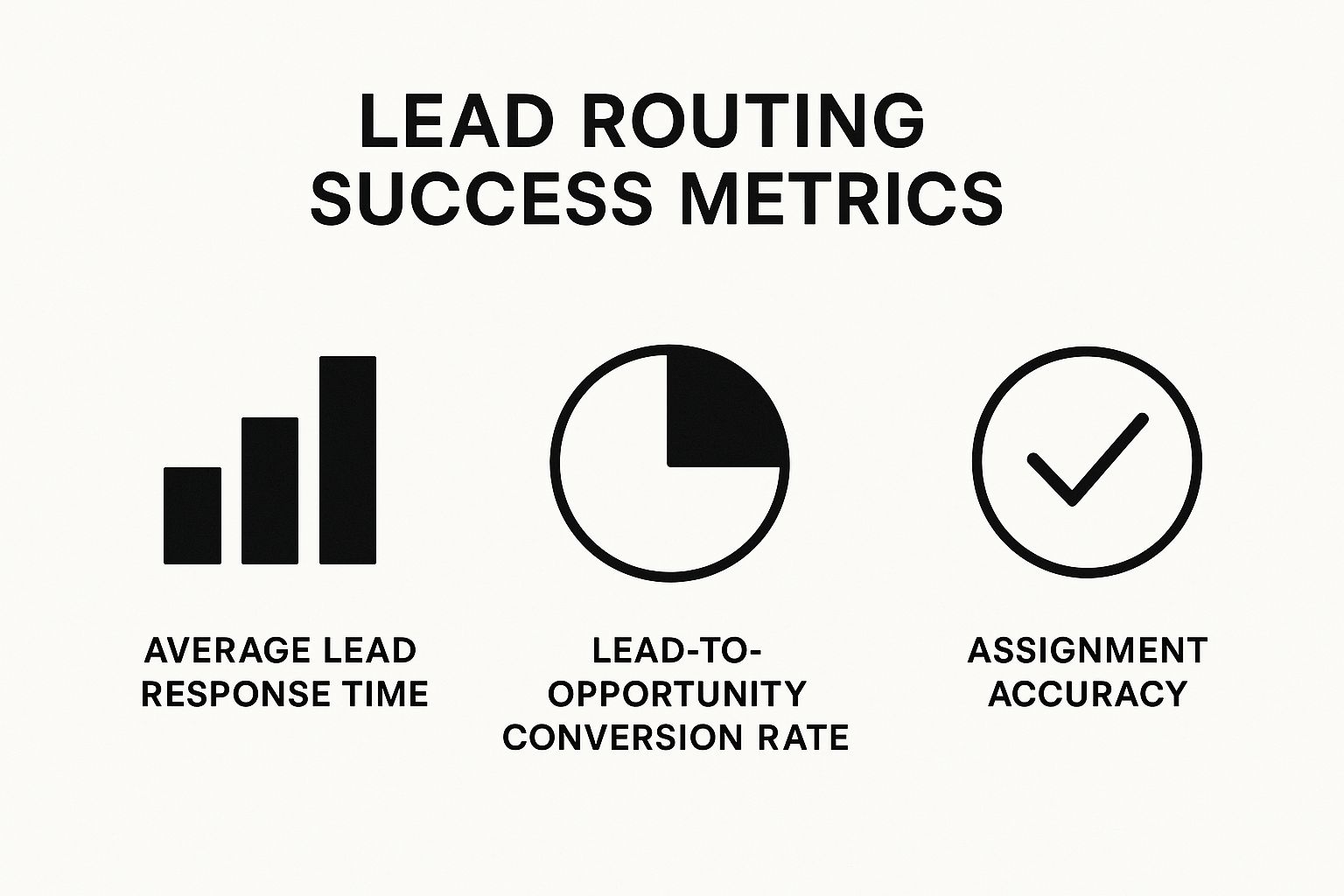
As the data shows, effective routing dramatically improves response times and conversion rates, while ensuring leads are assigned correctly nearly 100% of the time.
To help you decide, we've put together a comparison of different lead routing approaches.
Lead Routing Solutions Comparison Guide
Compare different lead routing approaches to find the perfect match for your sales team's needs and goals.
| Solution Type | Best Use Cases | Implementation Effort | Ongoing Maintenance | Scalability Factor |
|---|---|---|---|---|
| Manual Assignment | Very small teams (<5 reps) with low lead volume and simple products. | Very Low | High (Manager spends significant time assigning leads). | Very Low (Breaks down quickly with growth). |
| Salesforce Native | Small to mid-sized teams with straightforward, territory-based, or round-robin rules. | Medium (Requires Salesforce admin knowledge). | Medium (Admin needed for any rule changes). | Low to Medium (Struggles with complex, layered logic). |
| Third-Party Platform | Mid-sized to enterprise teams with complex routing needs, high lead volume, and a focus on speed-to-lead. | Medium to High (Guided setup, but more initial configuration). | Low (Business users can manage rules in a visual interface). | High (Built to handle growth and evolving business rules). |
As you can see, while native tools are a great starting point, a dedicated third-party solution offers the flexibility and low-maintenance an organization needs to scale effectively.
Evaluating Total Cost of Ownership
When you compare solutions, don't just look at the price tag. The total cost of ownership (TCO) includes hidden factors that can seriously affect your return on investment. A "free" native tool might end up costing you thousands in lost deals because of its limitations or force you to hire an expensive consultant just to manage it.
Consider these factors in your evaluation:
- Implementation and Training: How long will it take to get the system up and running? How much time is needed to get your team comfortable with it?
- Ongoing Maintenance: Who is responsible for updating the routing rules when your team changes or your territories are realigned? Does it require a specialist?
- Integration Capabilities: Does the solution work smoothly with your other sales tools, or will it create data silos that slow everyone down?
Choosing the right tool is a strategic move that aligns your technology with your business goals. For a closer look at improving your entire funnel, check out our guide on sales process automation. By carefully weighing these points, you can pick a solution that fits your budget and helps your team close more deals, faster.
Real Teams, Real Results: Lead Routing Success Stories
 Sometimes, the best way to understand the power of effective lead routing in Salesforce is to see it through the eyes of teams who have lived it. The theory is helpful, but the real story is in the before-and-after accounts of sales teams that turned their operations around. These examples show the real-world impact of moving from manual chaos to automated precision.
Looking at these cases, we can see how smart lead distribution fixes common problems like slow response times, missed opportunities, and unhappy sales reps. It’s about making sure every single lead gets the best possible chance to become a customer.
From Days to Minutes: The SaaS Conversion Explosion
Imagine a rapidly growing SaaS company practically drowning in its own success. Demo requests were flooding in, but their manual process for assigning them was painfully slow. A sales manager would assign leads in batches, which meant a high-intent prospect could wait up to 48 hours for a callback. By that point, the initial spark of interest was often gone, and many had moved on to competitors.
After putting an intelligent routing system in place, the results were almost instant. Their new setup included:
- Real-time assignment: Leads were sent to reps the moment a form was submitted.
- Workload balancing: The system looked at each rep's current pipeline to prevent overload.
- Automated scheduling: High-value prospects were immediately sent a link to book a meeting.
The outcome was incredible. Their average lead response time plummeted from two days to less than five minutes. This speed didn't just look good on a report; it directly led to a 340% increase in their demo-to-opportunity conversion rate.
Matching Experts for Higher Close Rates
Here’s another great example from a specialized consulting firm. For them, the issue wasn't just about speed—it was about precision. They served clients across several complex industries, yet their simple round-robin system treated every lead identically. This meant prospects were often connected with consultants who didn't have the specific expertise needed, resulting in weak discovery calls and lost deals.
They redesigned their lead routing in Salesforce to use skill-based criteria. Now, a lead from the healthcare industry was automatically routed to a consultant with a strong background in that field. This one change made sure every prospect talked to a genuine expert from the very first conversation. The firm didn't just increase its close rates; it also saw a noticeable jump in client satisfaction and project success.
These stories show that smart routing is about creating better connections, not just making faster assignments.
Implementation That Actually Works: Avoiding Common Pitfalls
Putting a new lead routing in Salesforce system into action is about more than flipping a few switches. It requires a thoughtful strategy and careful execution to truly stick. A rushed or poorly explained launch can stop a project in its tracks, leaving sales reps confused, leads slipping through the cracks, and everyone sliding back into old, inefficient routines. The key is to see it as a change management journey, not just a software update.
The costliest errors often occur long before the system is even active. Many routing projects fail because of insufficient testing or a change management plan that makes sales reps feel ignored and resistant. To sidestep these issues, you need a solid plan from the start.
Involve Your Sales Team Early and Often
One of the most significant mistakes is creating routing rules in an executive bubble. Operations leaders might design what looks like a flawless system on paper, only to discover it doesn't work in the real world of the sales floor. The most effective way to get your team on board is to involve your sales reps in the design process from the very beginning.
Run workshops to map out how leads are currently handled and pinpoint the biggest frustrations. Your reps are on the front lines; they know which leads are gold and which routing decisions have created problems before. Their feedback is essential for catching potential roadblocks before they become expensive fixes. This collaborative method doesn't just create smarter rules—it also makes your reps feel like they have a stake in the new system, which is vital for adoption.
Adopt a Phased Rollout Approach
Switching your entire lead routing process overnight is a high-stakes move. A much safer and smarter strategy is a phased rollout. This method lets you test and fine-tune your new routing rules with a small, manageable group before releasing them to the whole company.
Here’s a simple way to structure it:
- Pilot Group: Choose a small team of reps to be the first to try the new routing logic. Let them operate on the new system while everyone else continues with the old process.
- Monitor and Refine: Keep a close eye on key metrics for the pilot group, like response time, meeting booked rates, and lead acceptance. Collect direct feedback on what’s effective and what needs work.
- Iterate: Use the data and feedback to adjust your routing rules. You might find that a rule based on company size needs more detail or that territory assignments need to be adjusted.
- Expand: Once the system is performing well for the pilot group and showing clear improvements, you can confidently roll it out to the next set of users, repeating the cycle until the entire team is using the new process.
To help guide your efforts, here is a framework that breaks down the implementation process into manageable phases, ensuring you cover all your bases without disrupting your current sales motion.
| Implementation Phase | Critical Activities | Success Metrics | Risk Mitigation |
|---|---|---|---|
| 1. Discovery & Planning | Hold workshops with sales and marketing. Define ideal lead profiles. Map current and future state processes. | 100% stakeholder alignment on goals. Documented process flows. | Involve leadership to champion the project. Set clear expectations about scope and timelines. |
| 2. Design & Configuration | Build routing rules in a sandbox. Develop assignment logic based on territory, industry, etc. Define SLA for lead follow-up. | Rules successfully route test leads as expected. Initial configuration passes user acceptance testing (UAT). | Use a Salesforce sandbox for all development to avoid impacting the live environment. Get sign-off from sales managers. |
| 3. Pilot Rollout | Select a small, representative pilot group. Provide hands-on training and documentation. Run the new system for this group only. | Pilot group lead response time improves by 20%. Positive feedback from pilot users. | Establish a clear feedback loop (e.g., a dedicated Slack channel). Have a rollback plan in place if major issues arise. |
| 4. Analysis & Iteration | Monitor pilot group KPIs (response time, conversion rates). Gather qualitative feedback. Refine routing rules based on findings. | Data shows pilot group is outperforming the control group. Rule adjustments address initial pain points. | Schedule weekly check-ins with the pilot team. Be prepared to make quick adjustments to the logic. |
| 5. Full Rollout & Adoption | Train the entire sales team. Go live with the new system for all users. Communicate the "why" behind the change. | 95%+ user adoption within the first 30 days. Measurable increase in overall speed-to-lead. | Create "quick start" guides and offer office hours for support. Share success stories from the pilot group to build excitement. |
| 6. Ongoing Optimization | Regularly review performance dashboards. Conduct quarterly reviews of routing logic. Adapt rules as the business evolves. | Sustained improvement in key sales metrics. Routing system adapts to new products or territories. | Assign a clear owner for the routing system. Make system reviews a standard part of sales operations meetings. |
| Table: Lead Routing Implementation Success Framework - Your step-by-step guide to implementing lead routing without disrupting current sales operations |
By following this phased approach, you can minimize disruptions, validate the system's effectiveness with hard data, and work out any issues while your old process acts as a safety net. This ensures your lead routing in Salesforce implementation performs as intended, encouraging adoption and producing tangible results.
Measuring and Optimizing Your Lead Routing Performance
Setting up a system for lead routing in Salesforce is a great first step, but the real business impact comes from constantly measuring and improving it. Think of it like a high-performance engine. You don't just build it and walk away; you have to tune it regularly to get every bit of power. Your routing system needs the same kind of attention to go from simply working to working exceptionally well.
Effective improvements start with tracking the right metrics. Just counting how many leads each rep gets is only scratching the surface. To really understand what’s happening, you need to focus on key performance indicators (KPIs) that are directly tied to sales success.
Establishing Meaningful KPIs
The goal is to measure outcomes, not just activity. While every company is unique, top-performing sales teams consistently watch a core set of metrics to check the health of their routing strategy.
Here are some essential KPIs you should be tracking:
- Average Lead Response Time: This is the make-or-break window between when a lead comes in and when a rep first reaches out. A faster response almost always leads to a higher chance of conversion.
- Lead-to-Opportunity Conversion Rate: This metric shows you what percentage of routed leads are qualified enough to become real sales opportunities. By tracking this by rep, territory, or lead source, you can see what's working and what needs a closer look.
- Assignment Accuracy Rate: What percentage of your leads are sent to the right person on the first try? A low accuracy rate points to problems in your logic or technical setup, causing delays and forcing manual clean-up.
- Distribution Fairness: Are leads being divided up according to the rules you set? If the workload is lopsided, you risk burning out your top reps while others sit idle.
Conducting Regular Routing Audits
Your KPIs tell you what is happening, but a routing audit helps you understand why. A routing audit is a methodical review of your entire lead distribution process. It’s your opportunity to spot bottlenecks, find imbalances, and discover hidden chances to improve.
During an audit, dig into your performance dashboards and ask tough questions. For instance, if one territory has a much lower conversion rate, is it because of the lead quality, or does a rep need more coaching? If response times are slow on weekends, do you need to adjust your rules for after-hours leads? These audits give you real, actionable insights to fine-tune your lead routing in Salesforce. This data-focused approach turns your routing system from a static set of rules into a smart, dynamic process that grows with your business and keeps you competitive.
Ready to stop leads from slipping through the cracks and start converting them into revenue? Distro provides intelligent routing and automated scheduling to ensure every high-intent prospect connects with the right rep instantly. Learn how Distro can transform your inbound sales today.