
Let's be honest: Automated meeting scheduling is just software that handles booking appointments for you. It cuts out the endless email chains we all hate. Think of it as your own digital assistant, finding the perfect time for everyone without you lifting a finger.
Stop Wasting Time on Manual Scheduling
If you've ever been trapped in a week-long email thread just to lock down a 30-minute meeting, you get it. The classic "Does Tuesday at 2 PM work?" followed by, "Sorry, I’m booked. How about Wednesday morning?" is a dance we all know too well. It’s not just annoying; it’s a productivity black hole. Professionals can easily sink several hours every single week just trying to get meetings on the calendar.
This is where automated scheduling completely changes the game. It’s not some overly complex, scary piece of tech. It’s a dead-simple solution to a universal problem.
Imagine sending one link to a client. They click it, see your real-time availability, and book a time that works for them. Instantly. No more mental gymnastics with time zones, no more accidental double-bookings, and no more playing secretary.
The Old Way vs. The New Way
The difference between the old manual way and the new automated way is night and day. The old approach is packed with friction, creating a clunky experience for everyone—especially for a potential customer. A slow booking process might just send a hot lead straight to a competitor who was faster on the draw.
The big idea here is to turn scheduling from a frustrating, multi-step chore into a single, automated click. It's a shift that not only saves a ton of time but also makes you look sharp and professional from the very first touchpoint.
An automated system is like a personal gatekeeper for your calendar, working around the clock. It only shows the times you want it to, based on rules you set. Need a 15-minute buffer between calls? Done. Only want to take meetings on Tuesdays and Thursdays? Easy. You get full control of your calendar without any of the manual grunt work.
Manual vs. Automated Scheduling: A Quick Comparison
To really see the difference, it helps to put the two approaches side-by-side. This isn't just about convenience; it's about a fundamental upgrade to how you manage your time and interact with people.
| Aspect | Manual Scheduling | Automated Scheduling |
|---|---|---|
| Time Spent | Hours per week in back-and-forth communication. | Seconds to share a link; zero back-and-forth. |
| Lead Response | Slow, often delayed by hours or days. | Instant, allowing leads to book immediately. |
| Error Potential | High risk of double bookings and time zone mistakes. | Zero risk; syncs with your calendar in real time. |
| Professionalism | Can appear disorganized and inefficient. | Appears modern, efficient, and professional. |
| Availability | Limited to your active working and response hours. | 24/7; clients can book anytime, anywhere. |
When it comes down to it, adopting automated meeting scheduling is less about adding another tool and more about adopting a new mindset. It's about deciding your time is valuable, that the client experience matters, and that your energy is better spent on work that actually moves the needle—not on administrative busywork.
How Automated Scheduling Systems Work
Ever wonder what’s actually happening behind the scenes when you use a scheduling link? It’s not some kind of digital sorcery. It’s a surprisingly straightforward process that acts as a smart gatekeeper for your calendar, and it all boils down to three core components working together.
Think of it as a well-oiled machine. The first and most critical piece is calendar integration. This is where the system plugs directly into your existing digital calendar, whether that’s Google Calendar, Outlook, or something else. This isn't just a one-way data dump; it’s a live, two-way connection. When someone books a meeting, it instantly appears on your calendar. And if you manually add a dentist appointment, that time slot is immediately removed from your public availability. This constant sync is what makes double-booking a relic of the past.
Detecting Your Availability Intelligently
Next up is availability detection. This is the brains of the operation, where you teach the system your personal rules of engagement. You’re in complete control, defining exactly when you are—and more importantly, when you are not—willing to take a meeting. This goes way beyond just a simple 9-to-5.
You can get incredibly specific with your rules, for example:
- Working Hours: Only show my availability on Tuesdays and Thursdays from 10 AM to 4 PM.
- Meeting Buffers: Automatically add a 15-minute cushion before and after every call so I have time to prep or take notes.
- Booking Limits: Prevent last-minute surprises by requiring at least 24 hours' notice for any new meeting.
- Daily Caps: Protect my focus time by limiting me to a maximum of four client meetings per day.
The software takes these rules, checks them against the real-time free slots on your calendar, and generates a curated list of approved times. It only ever shows these perfect, pre-vetted options to the person on the other end.
Automating the Communication Flow
The final piece of the puzzle is the automated notification and workflow engine. As soon as someone picks a time, the system kicks into gear and handles all the tedious back-and-forth. It sends a confirmation email to both you and your guest, complete with all the essential details like the meeting link or physical address.
But the automation doesn't just stop at the confirmation. The system can send out customized reminders to everyone before the meeting, which is a massive help in cutting down on no-shows. This one feature alone has a huge impact on keeping schedules on track.
This infographic does a great job of showing just how much time this saves for busy professionals.
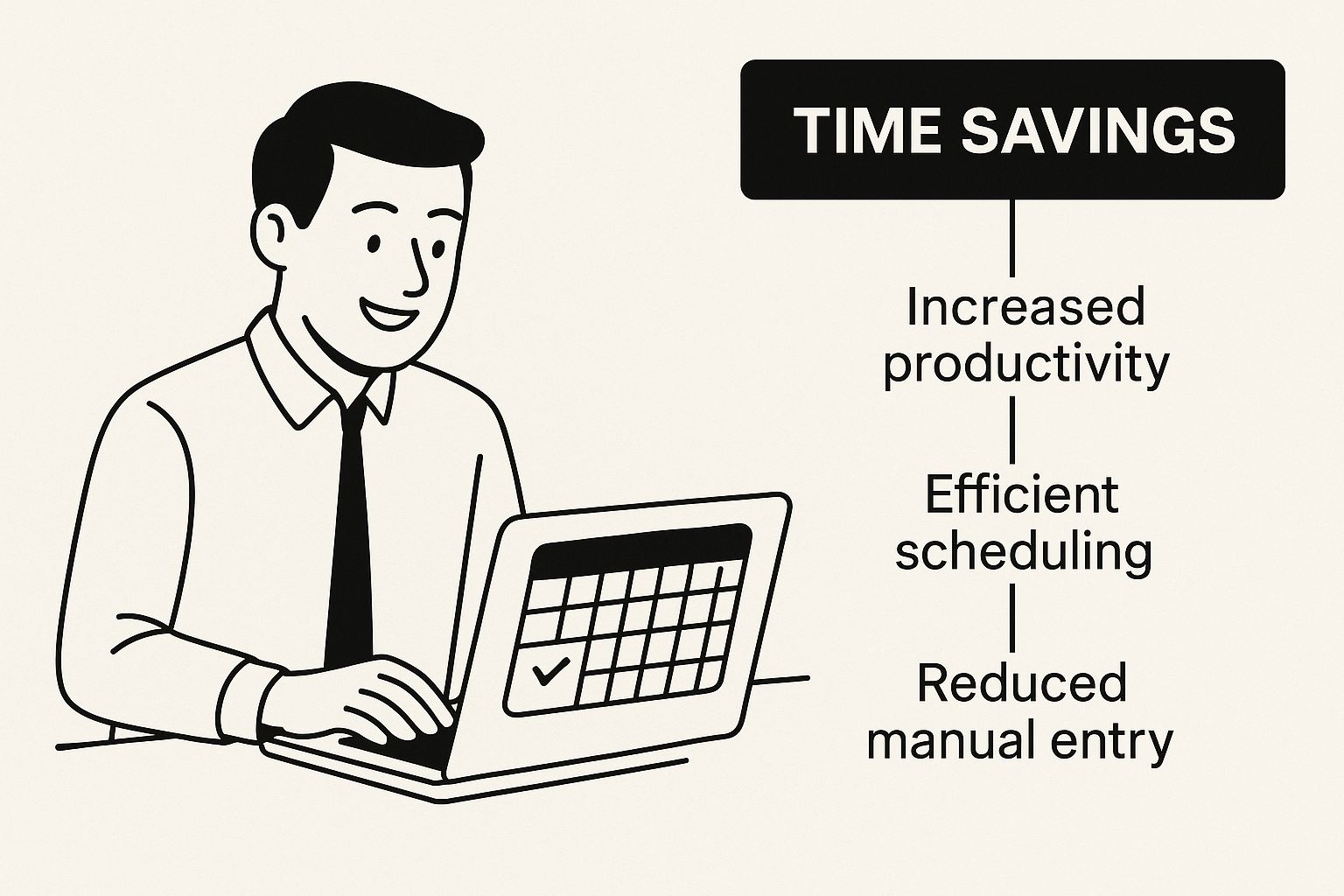
As you can see, by taking over these repetitive tasks, these tools free up hours that you can pour back into more important work.
The momentum here is undeniable. At their core, these systems simplify how we find time to meet, often starting with things as simple as appointment request forms. With trends showing that over 46% of all appointments are now booked online, businesses are seeing tangible benefits. The simple act of adding automated reminders has slashed no-shows by 50%, and some small businesses have boosted revenue by as much as 120% after putting these systems in place.
The Real Payoff of Automated Scheduling

Let's be honest, bringing in new software can feel like just another thing on the to-do list. But automated meeting scheduling isn't just a minor convenience—it’s a strategic move with some very real returns. The most obvious win? Getting your time back. Every minute your team spends playing email tag to find a meeting time is a minute they aren't spending on the work that actually matters.
Think about it. If your team is burning hours every week just coordinating calls, you're paying them for low-value admin work. Automation takes that entire logistical headache off their plate. This frees them up for the heavy lifting: big-picture strategy, solving tough problems, and actually talking to customers. It’s not just about saving time; it’s about investing that reclaimed time where it counts.
Look Polished and Professional
First impressions stick. In a crowded market, how you present yourself matters immensely. When a potential client can book a meeting with you in two clicks through a clean, modern interface, it sends a clear message: you're efficient, you respect their time, and you're easy to work with.
On the flip side, a clunky, manual back-and-forth can create friction before you even get a chance to speak. A smooth booking experience sets a professional, competent tone from the very first touchpoint, which can be a surprisingly powerful differentiator. Often, the best way to schedule meetings is simply the one that feels completely effortless for the other person.
Speed Up Your Sales Cycle
In sales, speed is the name of the game. The longer it takes to get that initial demo or discovery call booked, the more likely a lead's excitement will fizzle out. Automated scheduling smashes that bottleneck.
Imagine a hot prospect fills out your demo request form. Instead of waiting for a follow-up email, they can instantly book a slot with the right sales rep right then and there. This captures them at their peak moment of interest, dramatically shortening the gap between "I'm interested" and "Let's talk." That speed has a direct, measurable impact on how quickly you can move deals through your pipeline.
A streamlined booking process does more than just schedule a meeting; it effectively shortens the sales cycle by eliminating the waiting period, which is often where qualified leads are lost.
Cut Down on No-Shows and Protect Your Time
Meeting no-shows are a quiet killer of productivity and revenue. Every missed appointment is a block of your team's time down the drain and a lost opportunity. This is where automated scheduling systems really shine, thanks to one simple but incredibly effective feature: automated reminders.
These tools can send out customized email or SMS reminders to attendees before a meeting, which drastically boosts attendance rates. For many businesses, this connects to the broader benefits of streamlining call management and improving overall communication.
The proof is in the numbers. The global market for appointment scheduling software is exploding, projected to hit $633 million by 2025—a massive leap from $281 million in 2021. Why? Because businesses have seen firsthand that automated reminders can slash no-show rates by as much as 30%, directly protecting their team's efficiency and their bottom line.
Ultimately, these benefits all feed into each other. When you look more professional, you attract better prospects. When you accelerate the sales process and cut down on no-shows, you make your team more effective and your company more profitable. It’s a simple change that creates positive ripples across the entire organization.
Choosing the Right Automated Scheduling Tool
With so many options on the market, jumping into the world of automated meeting scheduling can feel like trying to pick a single car out of a massive dealership lot. They all promise to get you where you need to go, but the right choice depends entirely on who you are, what you need, and where you're headed.
The goal isn't to find the one "best" tool, but to find the perfect fit for your specific situation. Think of it this way: a freelance consultant doesn’t need a 12-passenger van, and a large sales team will quickly outgrow a two-seater sports car. To make the right choice, you need a clear framework for evaluating your options based on what truly matters for your workflow and business goals.
Let's break down the key criteria to guide your decision.
Assess Your Core Needs and Team Size
First, be honest about your scale. Are you a solo operator, a small, nimble team, or a large enterprise? The answer dramatically changes your requirements.
- Individuals and Freelancers: Your primary need is simplicity and a professional look. A tool with a generous free tier, like SimplyMeet.me or the basic version of Calendly, is often more than enough to eliminate back-and-forth emails and manage a single calendar.
- Small to Mid-Sized Teams: Here, collaboration becomes key. You need features that manage multiple calendars without creating chaos. Look for tools that support team scheduling pages and basic lead distribution.
- Large Sales and Revenue Teams: At this scale, you need a powerhouse. Your requirements go beyond simple booking to include intelligent lead routing, CRM integration, and performance analytics. This is where advanced systems designed for high-volume sales motions become essential.
For teams managing multiple sales reps, one of the most important features is the ability to distribute meetings fairly and efficiently. Exploring different types of round robin scheduling software is a great starting point, as this capability is fundamental to maintaining team balance and morale while maximizing lead response speed.
Must-Have Integrations and Workflow Compatibility
An automated scheduling tool doesn't live on an island. Its true power is unlocked when it seamlessly connects with the other software you already use every single day. A lack of integration can create more manual work, defeating the entire purpose of automation.
Before you commit, map out your existing tech stack and verify that the scheduling tool plays nicely with your critical systems. The most important integrations to check are:
- Calendar Sync: This is non-negotiable. The tool must have flawless, real-time, two-way sync with your team's primary calendar (Google Calendar, Outlook/Microsoft 365, etc.).
- Video Conferencing: Ensure it automatically generates and adds links for your preferred platform, whether it's Zoom, Google Meet, or Microsoft Teams.
- CRM Integration: For any sales-focused team, this is critical. The ability to automatically create or update leads, contacts, and activities in your CRM (like Salesforce or HubSpot) when a meeting is booked is a massive time-saver.
The ultimate test of a good tool is how little you have to think about it. If it fits perfectly into your existing workflow, it becomes an invisible engine driving efficiency. If it forces your team to change their process, adoption will fail.
Comparing Popular Automated Scheduling Tools
To help you see how these factors apply in the real world, here is a breakdown of a few popular tools and who they're best suited for. This comparison should give you a clearer picture of the landscape and help you narrow down your choices.
| Tool | Ideal For | Key Features | Pricing Model |
|---|---|---|---|
| Calendly | Individuals & Small Teams | Simple setup, wide recognition, basic team features, and extensive app integrations on paid plans. | Free plan with one event type; paid plans start around $12/user/month. |
| Cal.com | Developers & Tech-Savvy Teams | Open-source flexibility, deep customization through its API, and a strong free tier for individuals. | Free for individuals; team plans begin around $15/user/month. |
| Distro | B2B Sales & Revenue Teams | Advanced lead routing from web forms, round robin distribution, and deep CRM integration. | Focused on team and enterprise plans with pricing based on features and volume. |
| SavvyCal | Collaborative Scheduling | Blends booking links with meeting polls, allowing invitees to overlay their calendar to find a time. | Limited free plan for polls; paid plans start at $12/user/month. |
Ultimately, choosing the right automated scheduling tool comes down to a clear-eyed assessment of your needs. By focusing on your team size, critical integrations, and must-have features, you can confidently select a solution that not only schedules meetings but actively accelerates your business.
Getting Your Automated Scheduling System Dialed In

Alright, this is where the theory gets real and you actually start saving time. Setting up your system correctly is a bit like training a new personal assistant. You give them a clear set of instructions on day one so they can execute perfectly later on. This initial setup is your chance to build a system that truly works for you, not the other way around.
The whole process is surprisingly straightforward. You’re essentially just translating your own scheduling habits and preferences into a set of rules for the software to follow. The end result? A perfect, live-updating snapshot of your availability that anyone can use to book time with you.
Let's walk through the essential steps to get your system up and running smoothly.
Configure Your Core Availability
The absolute foundation of your automated scheduler is defining when you’re actually available. This is more than just plugging in your 9-to-5 hours; it's about crafting a schedule that protects your time and sanity.
First, set your standard working hours. Be honest with yourself about when you're at your best for meetings. If you're not a morning person, don't allow 8 AM bookings. This is your first line of defense against a calendar that leaves you completely drained.
Next up, and this is a big one people often skip: add buffers.
- Pre-Meeting Buffers: Give yourself 15 minutes before a call to prep and review notes. No more scrambling to find your agenda.
- Post-Meeting Buffers: Block another 15 minutes after to debrief, jot down notes in your CRM, and grab a coffee before your next thing.
These little cushions are what prevent that dreaded back-to-back meeting burnout and keep you sharp for every conversation. Finally, block off any personal appointments and deep work sessions directly in your connected calendar. The scheduler will see these as "busy" and automatically hide those time slots.
Create Specific Meeting Templates
A 15-minute check-in is worlds apart from a 60-minute project kickoff. Not all meetings are created equal, and your scheduler should reflect that. This is where event templates (sometimes called meeting types) come in. They let you create specific rules for each kind of appointment you offer.
Think of event templates as pre-packaged meeting kits. Each one comes with its own duration, location, and set of instructions, ensuring every scheduled call is perfectly configured without any manual input.
For instance, you might create:
- 30-Minute Intro Call: A standard video meeting for new prospects. This template would automatically pop in your Zoom link and require at least 24 hours' notice for a booking.
- 60-Minute Demo: A longer session for qualified leads. This one might have a few custom questions on the booking form to help you prepare and could be limited to only Tuesday and Thursday afternoons.
- 15-Minute Support Call: A quick troubleshooting session for current customers, available with much shorter notice.
Juggling different appointment lengths and time zones can get messy, but templates make it dead simple. Our guide on scheduling meetings across time zones has some great tips you can build right into your event rules.
Share Your Link and Drive Adoption
Here's the final piece of the puzzle: your new scheduling system only works if people actually use it. Once you're all set up, you have to get your scheduling link out there. Don't be shy about it! Add it to your email signature, put it on your website's contact page, and drop it into your outreach sequences.
The goal is to completely replace the phrase, "What time works for you?" with "Here's my link to find a time." This one small shift in habit will quickly make your new tool an essential part of how you work, saving you and everyone you meet a ton of time.
Once you get the hang of automated scheduling, a whole new level of efficiency opens up. The latest platforms are no longer just simple appointment setters; they're evolving into strategic partners by integrating AI. They've stopped being passive tools and are now active systems that optimize not just your calendar, but your team's entire way of working.
This shift means your scheduler can now tackle complex logistics all on its own, without anyone needing to step in. It’s like upgrading from a basic calculator to a full-blown financial modeling program. The core function is similar, but the strategic insight and predictive power are on a completely different level.
Unlocking Intelligent Resource Management
A perfect example of this leap forward is smart resource allocation. When someone books a meeting, an AI-powered system can do a lot more than just block out a time slot. It actually analyzes the meeting's purpose and automatically lines up all the necessary resources.
This can include things like:
- Booking Physical Spaces: It can automatically reserve a conference room that’s the right size for the number of attendees.
- Assigning Digital Resources: It can instantly generate and assign a unique video conference link for the meeting.
- Coordinating Logistics: It might look at where everyone is located and recommend a virtual meeting over an in-person one, or even connect with catering services for those all-day workshops.
This kind of intelligent allocation puts an end to those last-minute scrambles for a meeting room or a Zoom link. It ensures every meeting kicks off smoothly and professionally. It's a proactive approach that spots needs and solves them before they even become problems.
Automating Post-Meeting Workflows
But the real magic of AI in scheduling is its ability to manage the entire meeting lifecycle, not just the booking part. You can set up automated workflows that kick in the second a meeting is confirmed, handling all those crucial follow-up tasks that so often fall through the cracks.
An intelligent scheduling system doesn't just put the meeting on the calendar. It makes sure the meeting is as productive as possible by automating the prep and follow-up, turning a simple appointment into a complete, well-managed event.
Take a workflow for a new sales demo, for example. It could automatically:
- Send a "prep guide" to the prospect 24 hours before the call.
- Add a task to the sales rep's CRM to research the prospect's company.
- Send a thank-you email with a link to a feedback survey one hour after the meeting wraps up.
These automated sequences create a consistent and professional experience every single time. Companies that are already embracing these systems are seeing huge wins. In fact, forecasts show that by 2025, 75% of businesses using AI-powered scheduling will notice big improvements in meeting efficiency and how they use their resources. This holistic approach is also linked to a 15% reduction in employee idle time, freeing up your team for more important, strategic work. You can explore more about these innovations in AI scheduling to see the full picture.
Of course. Here is the rewritten section, following all the provided guidelines and matching the human-like, expert tone of the examples.
Your Top Questions About Automated Scheduling, Answered
Alright, so you see the potential. But jumping into any new system, especially one that plugs right into your calendar and sales process, naturally brings up a few questions. It's a big step, and you want to be sure it's going to work the way you need it to.
Let's walk through the most common things people ask when they're on the verge of automating their scheduling. We'll cover everything from data security to how it works for a whole team, so you can move forward with confidence.
Is My Data and Calendar Information Actually Secure?
This is usually the first question that comes to mind, and for good reason. The short answer is yes—reputable scheduling tools are built with security as a core feature, not an afterthought. They use standard, secure connections like OAuth to talk to your calendar.
What does that mean in practice? It means they never see or store your actual calendar password.
Think of it like giving a valet a key that only starts the car and moves it, but can't unlock the glove box or the trunk. The scheduling app gets permission to see your free/busy slots and add new meetings, but it can't access the private details of your other appointments. Just make sure you stick with a trusted provider that’s upfront about their security measures.
How Do These Tools Deal with Different Time Zones?
This is where automation really shines. Trying to coordinate across time zones manually is a recipe for confusion and missed meetings. Automated systems handle this beautifully. When someone clicks your scheduling link, the platform automatically detects their location from their browser.
The page instantly translates your available times into their local time zone. So, your 2 PM slot in New York just shows up as 11 AM for a prospect in Los Angeles. No more back-and-forth emails or embarrassing mix-ups. This feature alone is a massive headache-solver.
Can I Set This Up for My Entire Team?
Absolutely. In fact, that's where these tools deliver the most value. Most modern schedulers are designed specifically for team use, with a few different ways to distribute meetings based on what you need:
- Round Robin: This is perfect for sales and support. It automatically assigns new meetings to team members in an even rotation, ensuring fair lead distribution without anyone having to manage it manually.
- Collective: Need to get multiple people in the same room? This setting lets a client book a time only when everyone on the project or interview panel is free. It’s ideal for kickoffs or group interviews.
Team scheduling gives you a single, clean link to send out, and the system handles the rest. It simplifies how your team collaborates and makes a much better impression on your clients.
Ready to stop losing leads to slow response times? Distro connects directly to your demo request forms to instantly route and book meetings for your sales team. See how our customers triple their form conversion rates at https://distro.so.