Use cases / Inbound conversion

Demo requested.Let them book it.

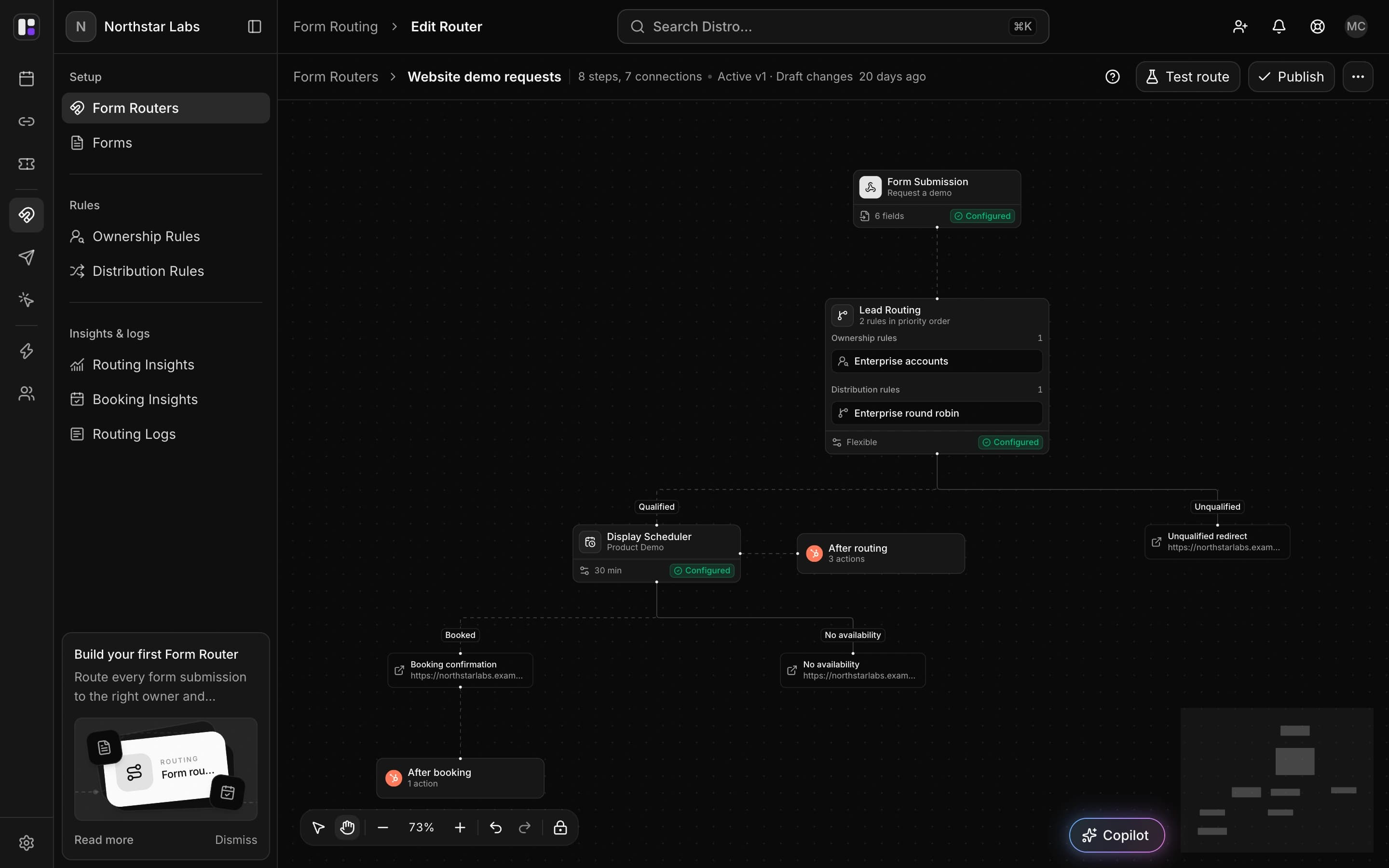
A buyer fills out your demo form. Give them a meeting time while they’re still on your site, instead of another email to wait for.

AdobeGitBookCensusCrewRetool

The form is submitted.
The buyer is still here.

For demand generation teams, the gap between a demo request and a scheduled call is a place to lose interest. Let qualified buyers choose a time immediately after submitting.

Distro bookings calendar showing a week of scheduled meetings across the team, with booking status filters and a timezone selector.
Distro bookings calendar · Scheduled meetings across your team.

Offer a time while interest is fresh

Show scheduling after qualification so the buyer can finish what they came to do.

Remove the scheduling email

Give the buyer available times with the assigned rep, without waiting for someone to send a calendar link.

Send the request
to the team that fits.

A small business and a global account may need different conversations. Use the details in the request and your CRM to direct each buyer to the relevant owner or team.
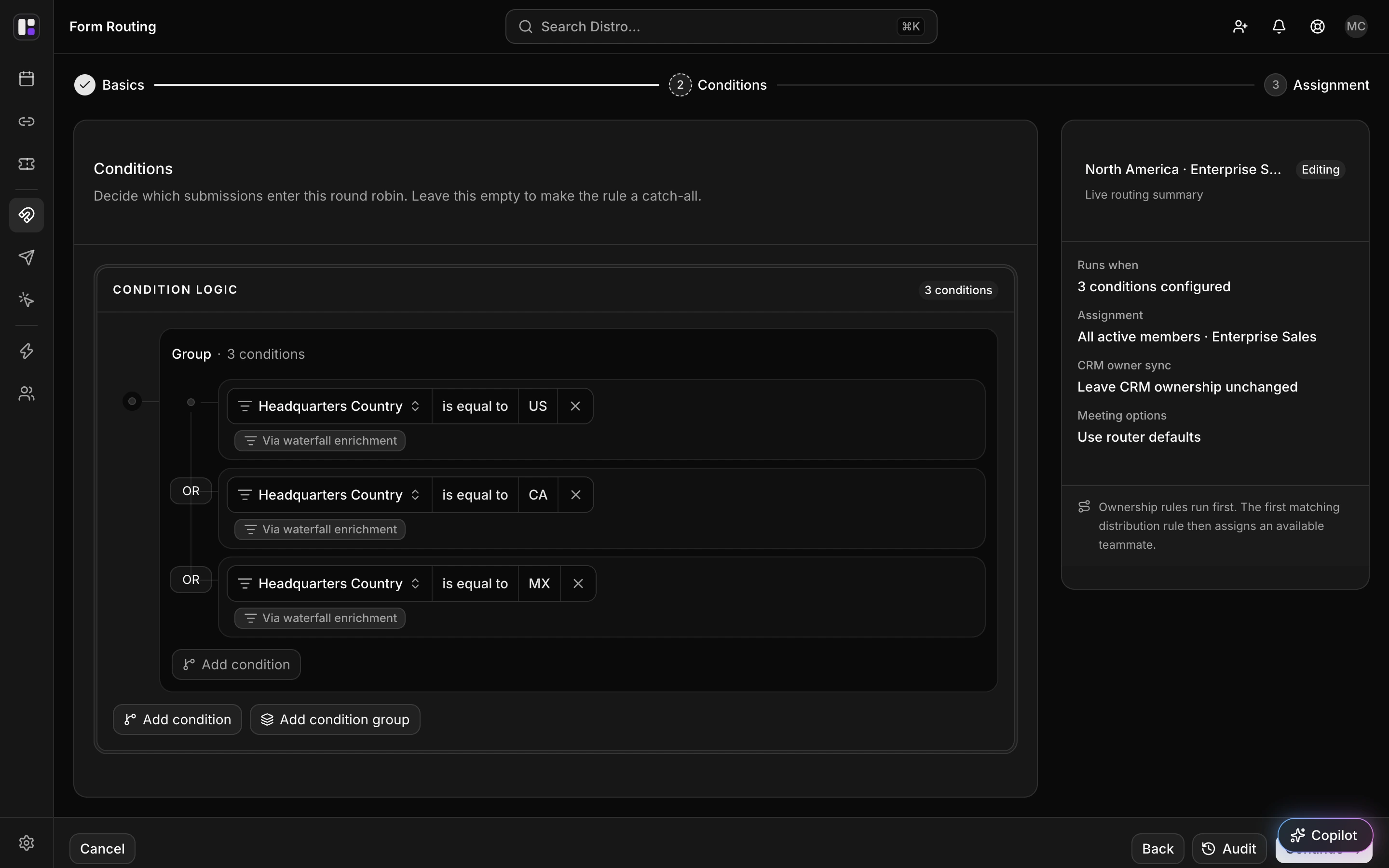
Illustrative example · An enterprise demo reaches the account team

Keep existing accounts with their owner

Check the account relationship before distributing a new demo request.

Give each segment a destination

Route by company size, region, or the fields your team uses to define sales coverage.

A request came in.
A booking didn’t.

Some buyers leave before selecting a time. Give your team a signal to follow up on that unfinished request instead of treating it as a booked demo.
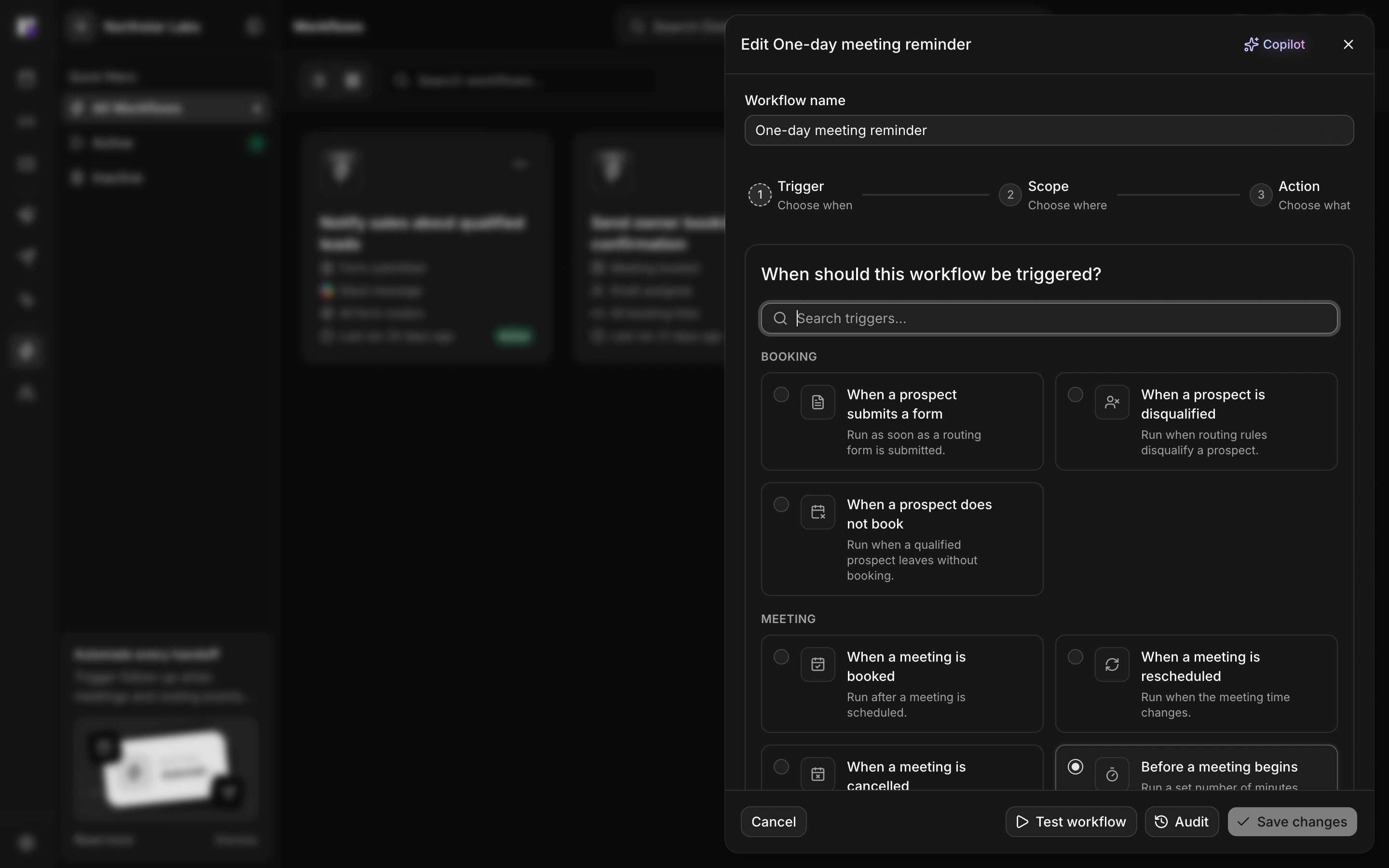
Illustrative example · A demo request needs follow-up

Surface the unfinished request

Use a form-router no-booking trigger to notify your team when a submission does not become a meeting.

Let a rep restart the conversation

The notification gives your team a prompt to reach out; the rep decides how to follow up.

FAQ

Frequently asked
questions

Can buyers book without waiting for sales to email them?

Yes. A form router can show the scheduler after qualification and routing, allowing the buyer to choose an available time.

What if our demo requests belong to different sales segments?

Use form responses and CRM conditions to route requests to the owner or team responsible for each segment.

How do we follow up when someone leaves the scheduler?

Configure a form-router no-booking workflow to notify your team about submissions that do not result in a booking. It prompts your team; it does not contact the buyer on its own.

Turn demo interest
into time with sales.

See how a qualified request can become a booked demo before the buyer leaves your site.