Start with the account relationship
Match the customer using CRM and domain information before offering an appointment.


Customer-facing teams shouldn’t have to look up the right contact for every booking request. Use CRM ownership to connect a customer with the person responsible for their account.
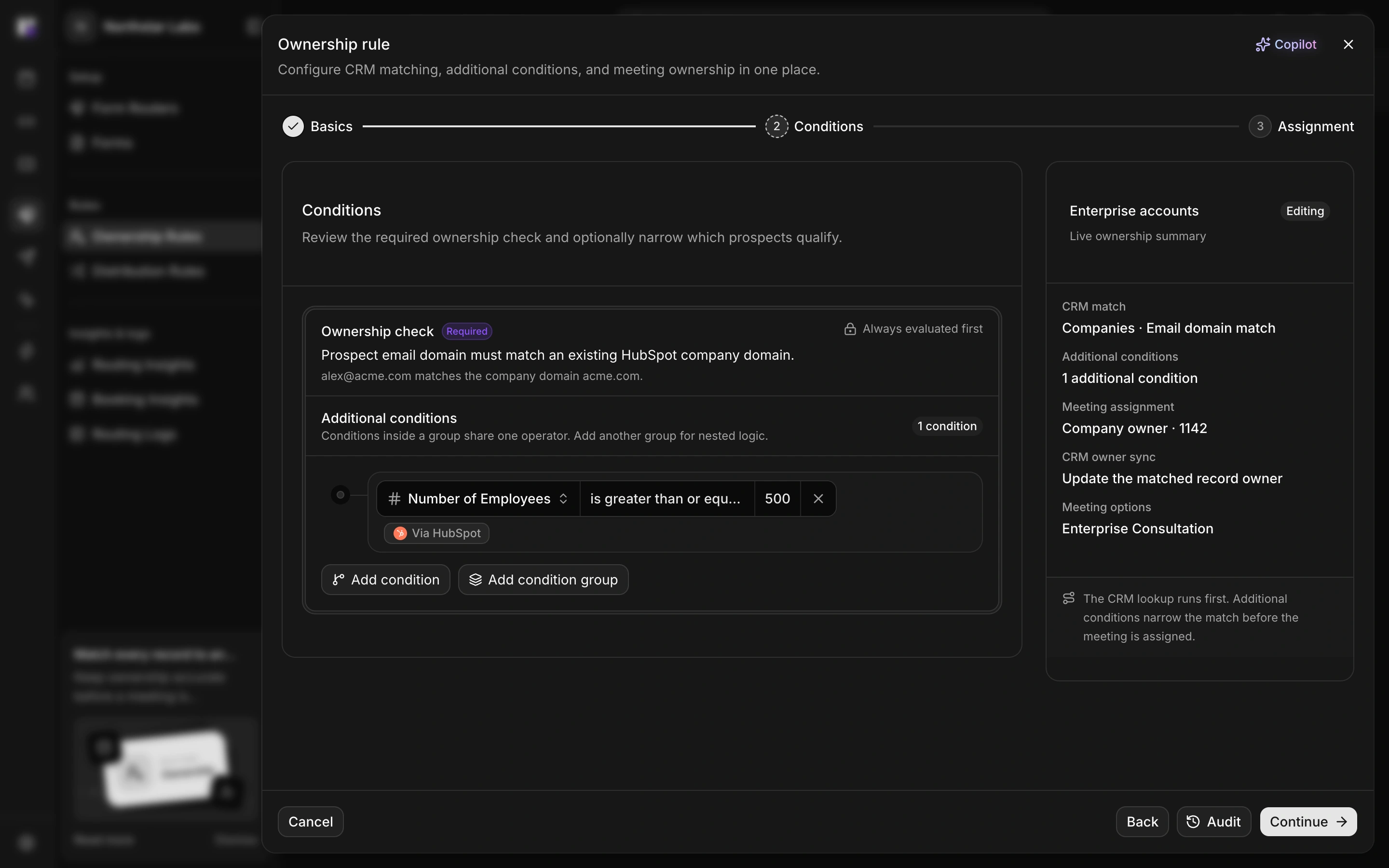
Match the customer using CRM and domain information before offering an appointment.
Route to the owner who handles the account, instead of distributing every request as a new lead.
Give customer communications a consistent booking destination. A click-router link can use ownership rules to send different customers to their respective account owners.
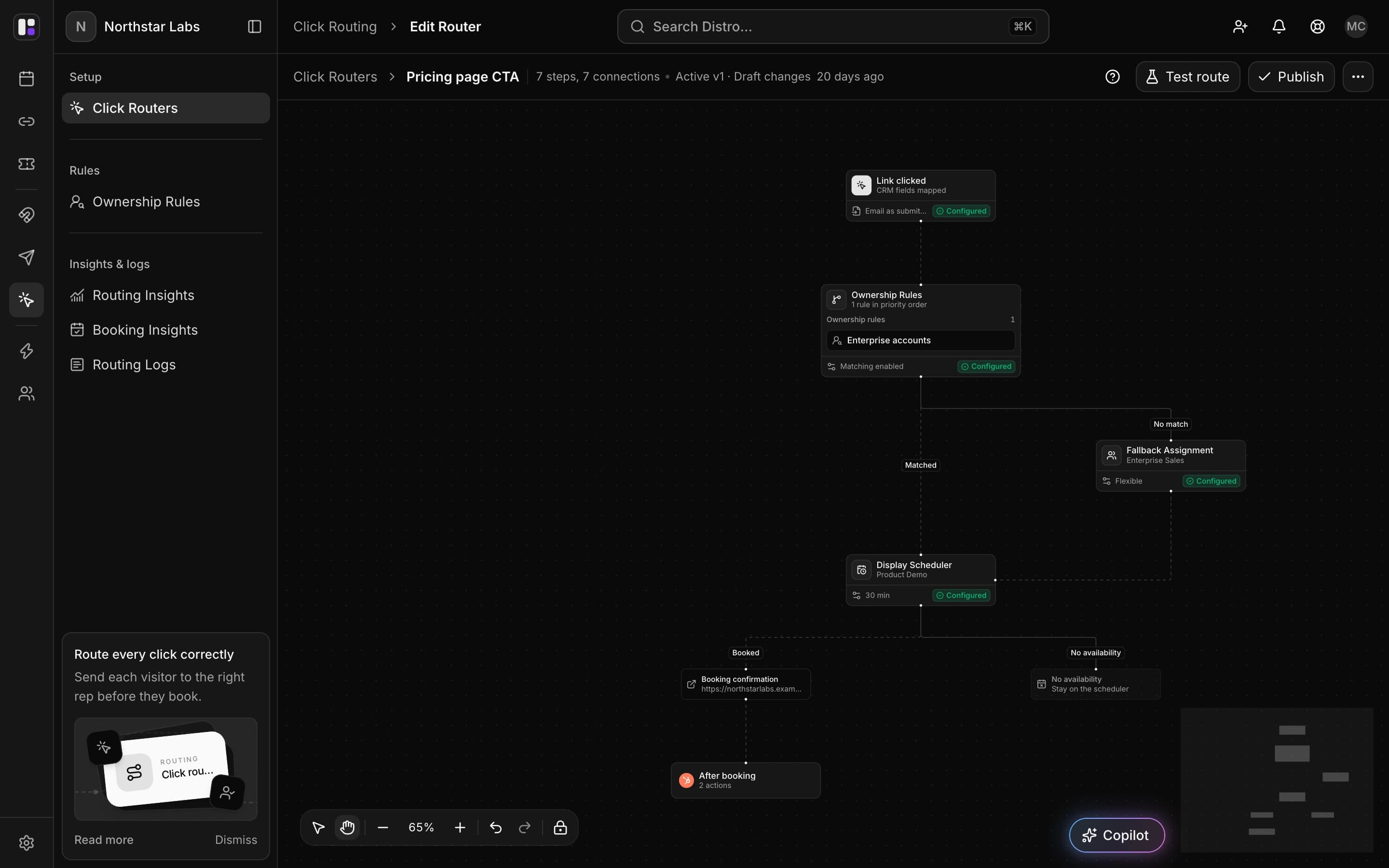
Include it in account emails or a customer-facing website CTA.
Configure the distribution team that should handle customers who do not match an owner.
A click router provides a shared entry point and evaluates ownership rules to choose the relevant rep. Individual booking links are another option when the owner is already known.